Embed forms on Supademo
Show a form inside a Supademo interactive demo by pasting its framed address into a Chapter that embeds forms and apps.
Supademo records a product and turns the recording into an interactive demo you can share. A form made with Tinyform can appear inside that demo, so a viewer can leave feedback or sign up without leaving the walkthrough.
Nothing on our side is specific to Supademo: the framed form at /embed/<id> is a page of its own, and any tool that can show a page by URL can show it.
How it works
Supademo demos are built from Chapters: overlays placed between steps that carry context, a call to action, or an embedded page. One of the Chapter types takes a URL and frames it, and that is where the form goes. A viewer who reaches that Chapter sees the live form and can fill it in on the spot.
Embed a form into Supademo
Copy the form's address
Open the form'sSharetab. The quickest address is the share link underShare Link, which is the published form at/r/<id>. For a leaner frame with no page chrome, openEmbed Form, pickStandard, and pressCopy embed linkto get/embed/<id>with the options you chose.
Add a Chapter in Supademo
Open the demo in Supademo's editor and clickChapterin the navigation bar.
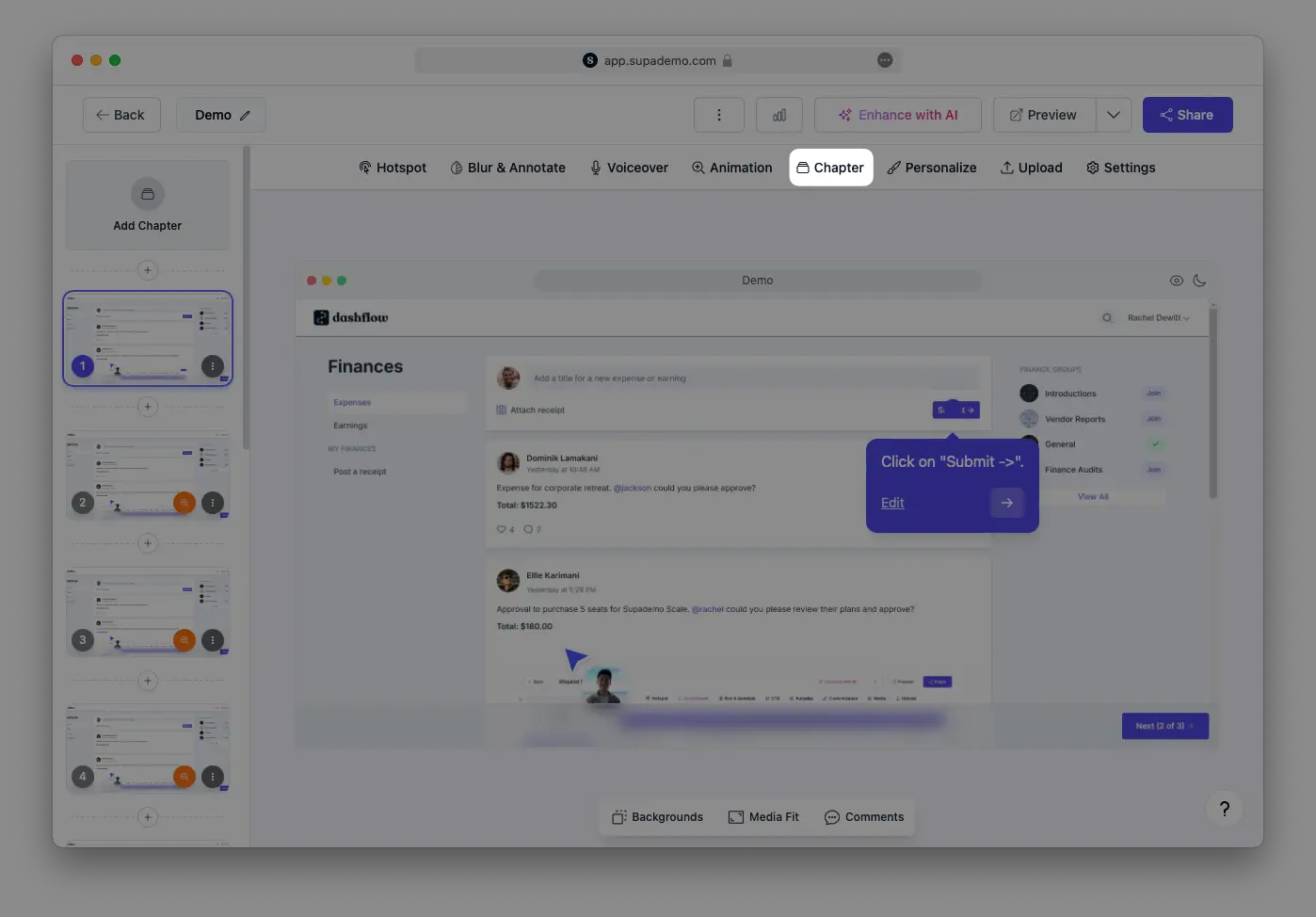
Choose the embed type and paste the address
UnderType, pickEmbed forms and apps, paste the address into theEmbed URLfield, and pressSave. The form now draws inside that Chapter.