Embed your form
Put a form on your own site as an inline frame, a popup or a full page, tune the embed options, and pass the host page's URL parameters into hidden fields.
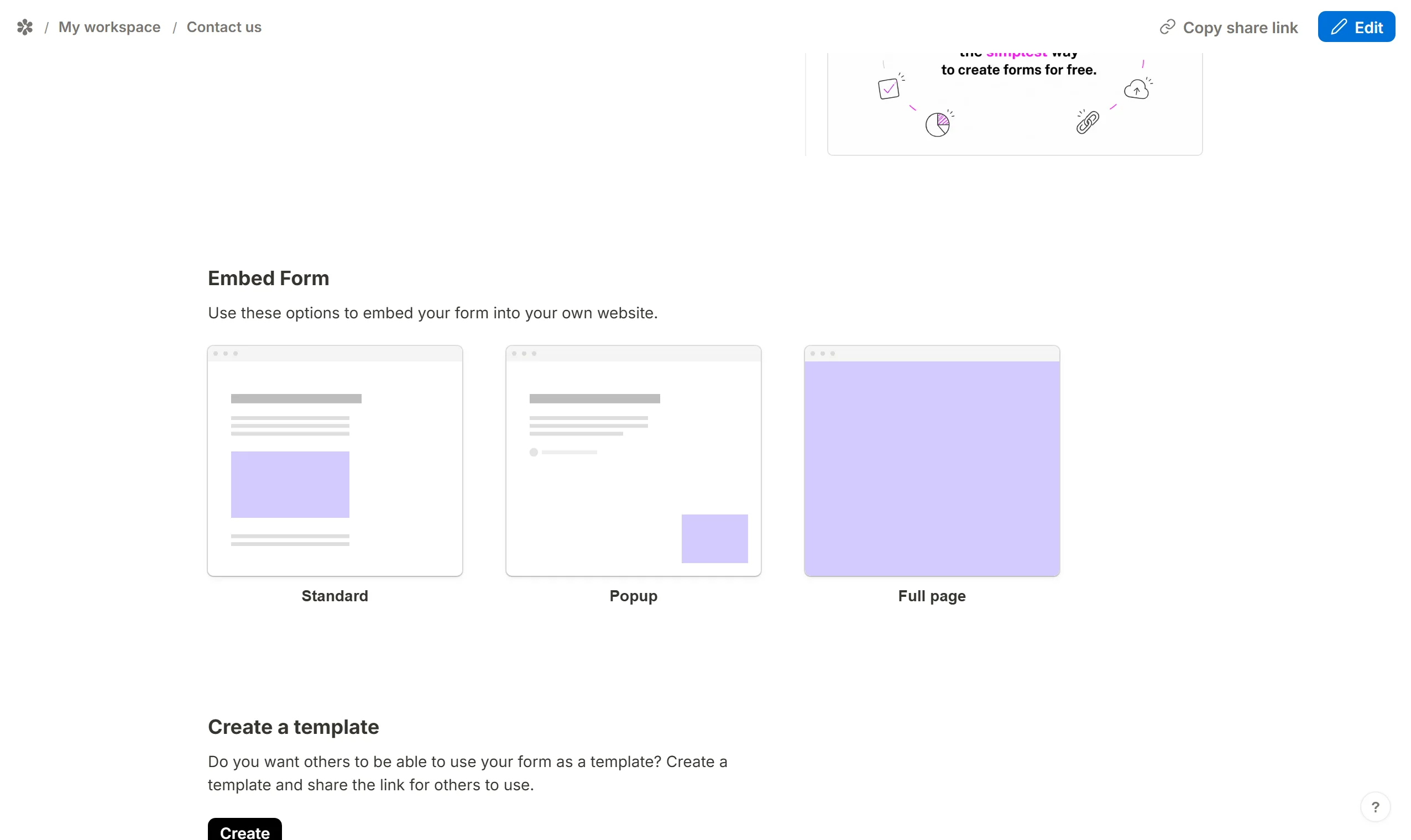
A published Tinyform form can live on a page you own rather than at its own address. Three shapes are offered:
- Standard: the form sits inside your page, between your own content
- Popup: the form opens in a panel over your page when something triggers it
- Full page: the form is the whole page
How embedding works
Publish the form, open its Share tab and scroll to Embed Form. Three cards stand for the three shapes; pick one.
A dialog opens with a preview on one side and the options on the other. Flip the switches and watch the preview follow.
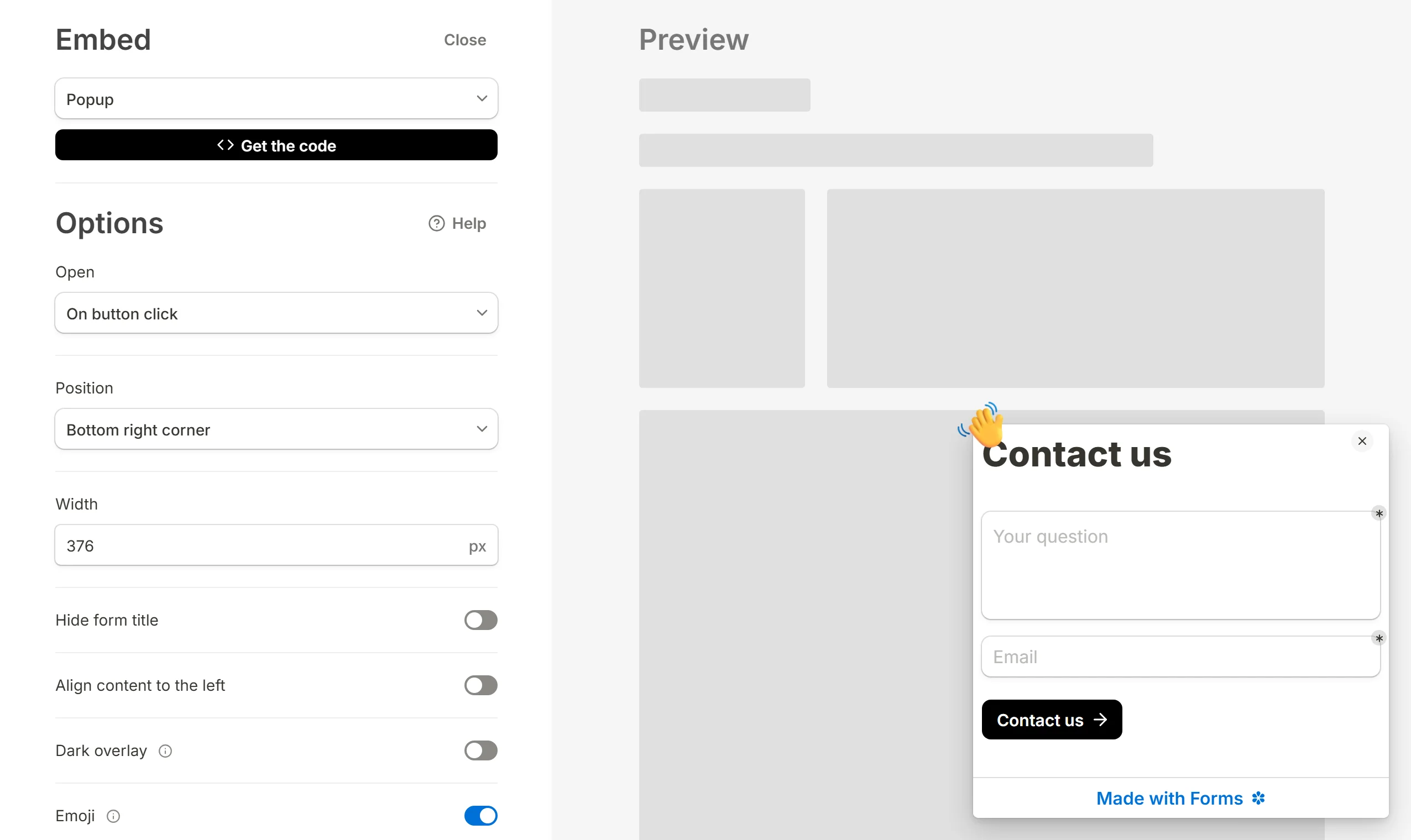
Press Get the code, copy the snippet and paste it into your page. The rest of this article says what each option does per shape.
Standard embed
Set the options, then press Get the code. The code pane offers three things: an iframe plus a one-line loader, which is the usual paste; the bare embed link, for a site that only takes a URL, such as a Notion page or a Ghost post; and the script tag alone, for a page that already loads the widget.
Most site builders have a place to paste HTML; on some it is a paid feature of theirs.
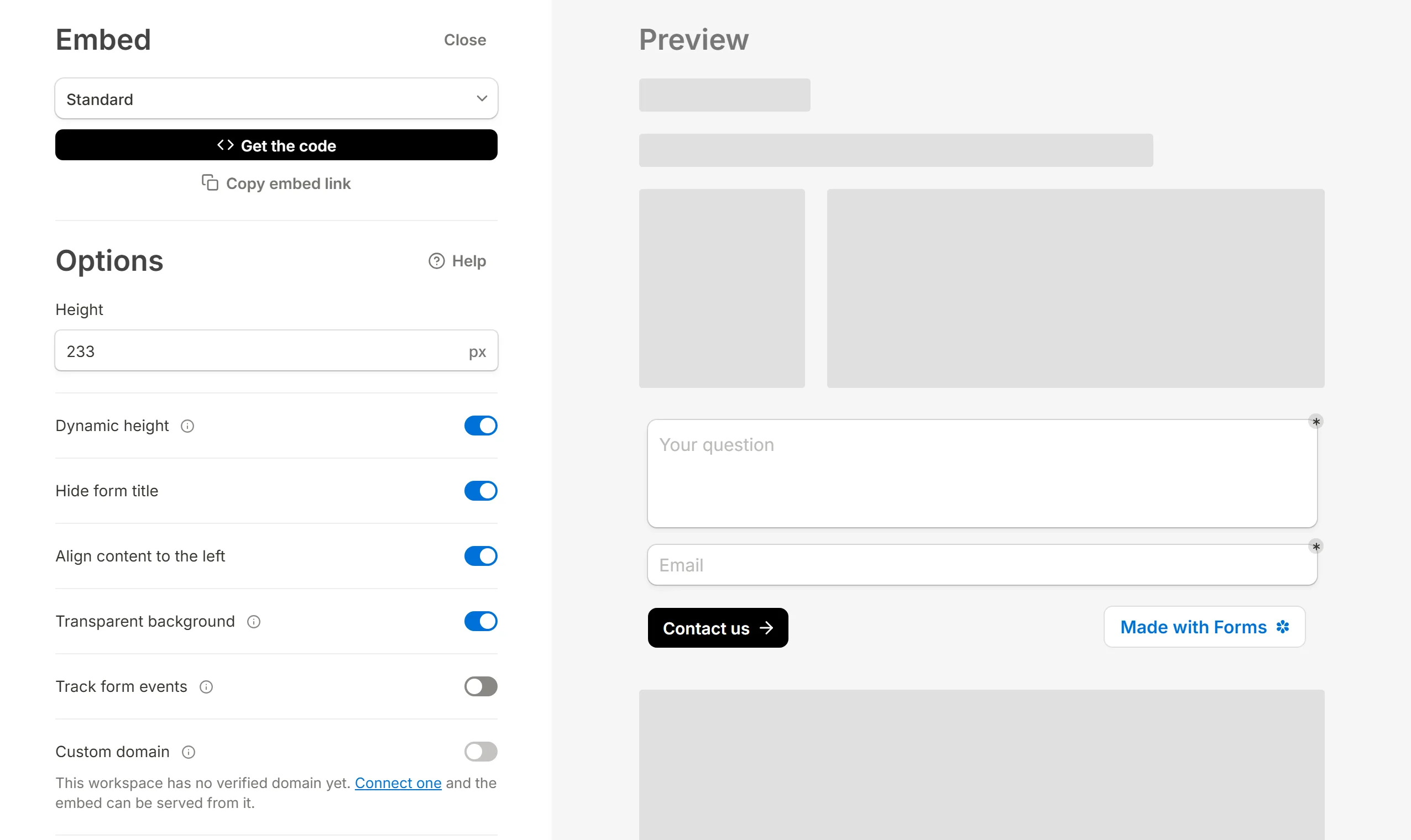
Options
- Height: a fixed height for the frame, in pixels. Used when dynamic height is off.
- Dynamic height: the frame follows the form's own height instead of scrolling inside itself, so the whole form shows without a second scrollbar, and the frame grows and shrinks between pages and across phone and desktop. On by default.
- Hide form title: leave the form's name off, when your page already has a heading. On by default.
- Align content to the left: an embedded form is centred in its frame; turn this on to sit it against the left edge. On by default.
- Transparent background: drop the form's own background so it takes your page's. On by default.
- Custom domain: serve the frame from a domain you own rather than this app's address.
- Branding: the small "Made with" badge at the foot of the form. Whether it can be turned off is a plan matter; see Remove branding.
- Track form events: have the frame report page views and submissions to your page, so the analytics your site already runs can count them. Off by default.
A switch that is off leaves nothing in the snippet; only what is on is written.
Popup
The popup has options of its own: what opens it, where the panel sits, its width, an emoji bubble on the launcher, and whether it closes itself after a submit. Popup forms covers all of them.
Full page embed
A full page embed hands the whole page to the form. Set the options and press Get the code, then paste the snippet into the page's HTML.
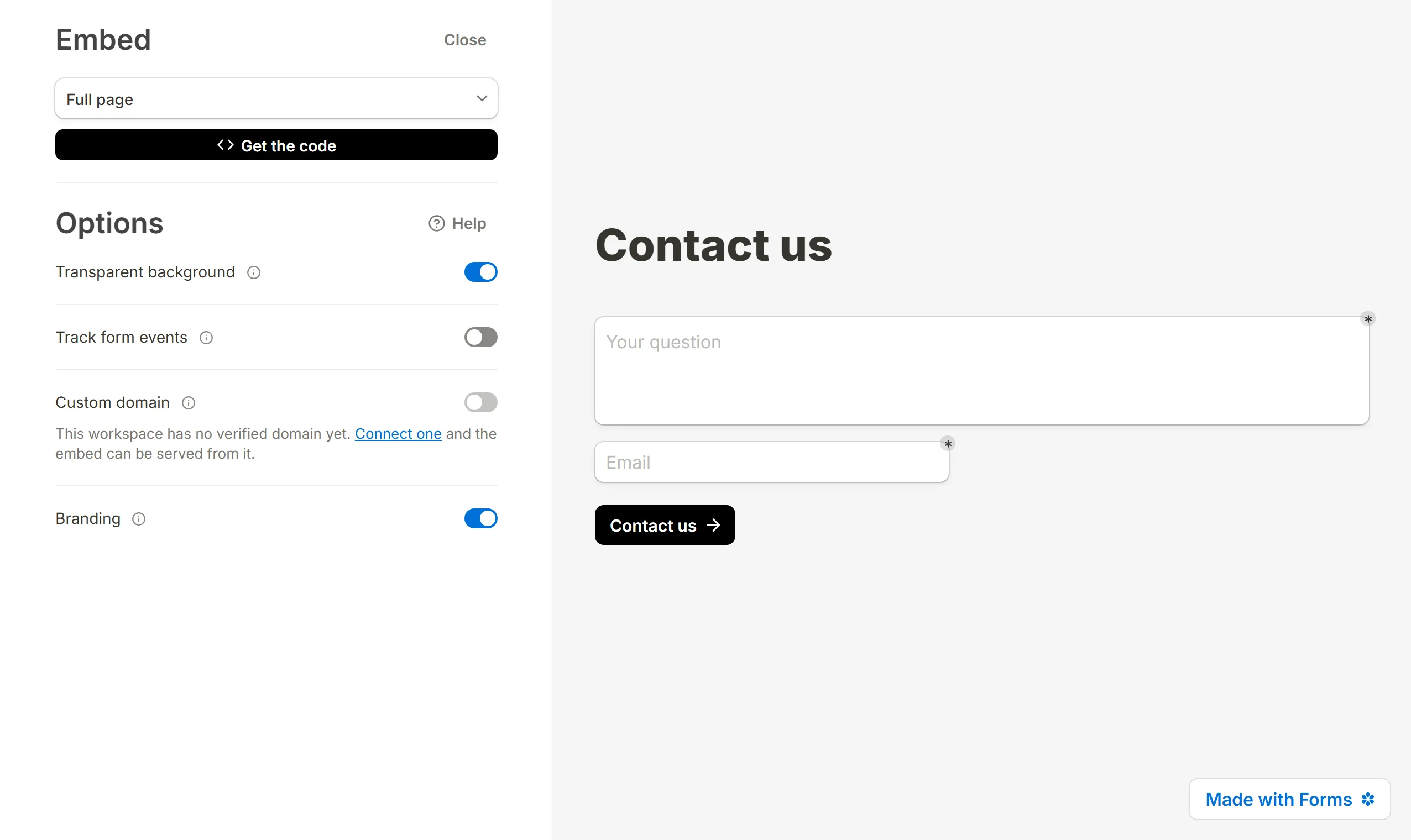
Options
- Transparent background: drop the form's own background so it takes the page's.
- Custom domain: serve the frame from a domain you own.
- Branding: the "Made with" badge, as above.
- Track form events: report page views and submissions to the host page.
Save website page and query parameters with hidden fields
The page the form is embedded on, and every query parameter on that page's URL, are passed into the frame, where hidden fields can pick them up. That lets a form record where it was filled in, or reuse a value your site already knows.
With hidden fields named originPage, ref and email, a form embedded on this page:
https://company.com/register?ref=downloads&email=alice@example.com
stores originPage=/register, ref=downloads and email=alice@example.com with each submission. A parameter written into the embed's own URL wins over the same name on the host page.
Developer resources
The widget puts one object on the page, TinyForm. TinyForm.loadEmbeds() wires up frames you added after the script ran, and TinyForm.openPopup(id, options) opens a popup from your own code. The Use JavaScript section of the code pane shows both.