Remove Tinyform branding
Switch off the small "Made with" badge at the foot of a published form so the form carries your brand alone.
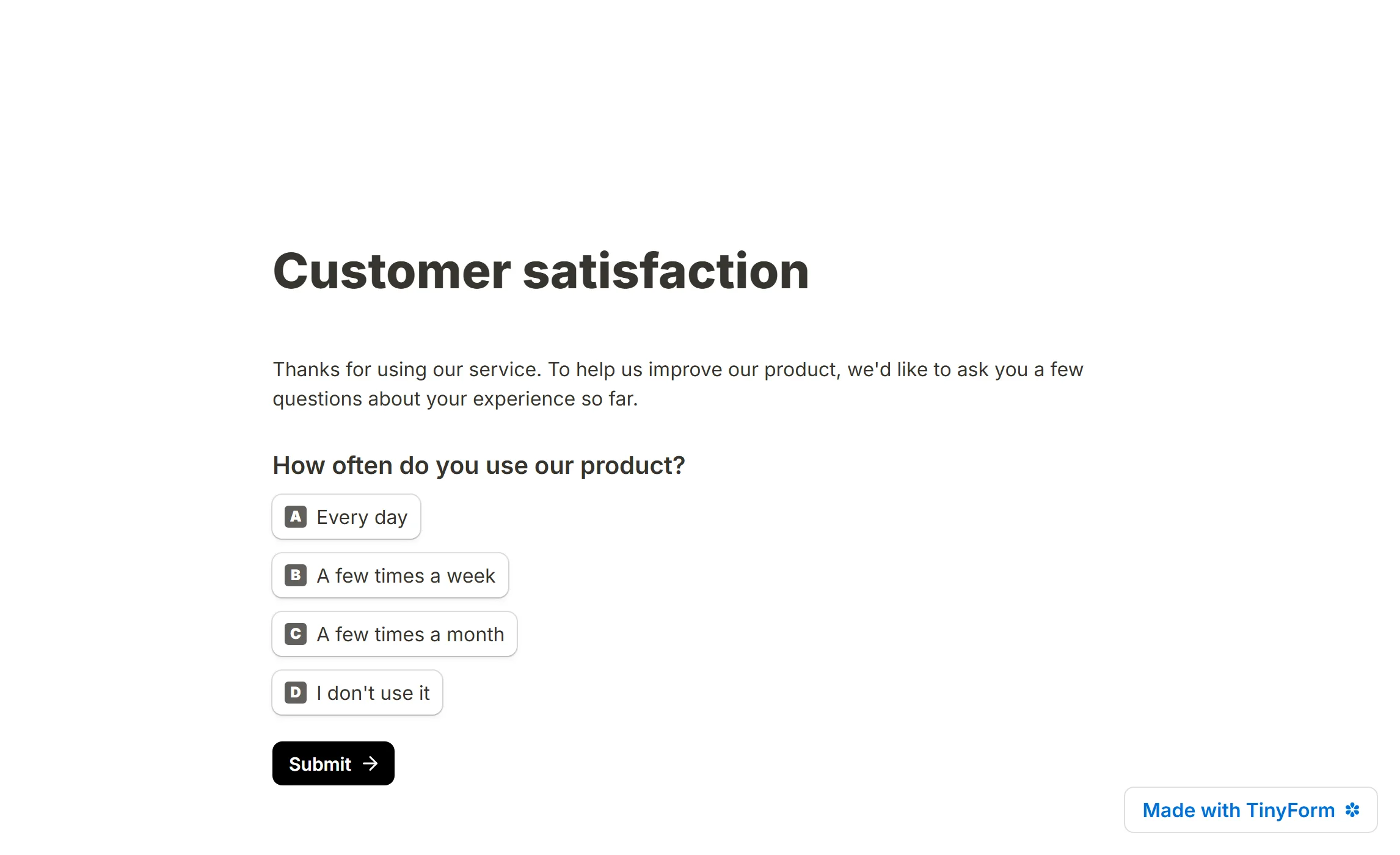
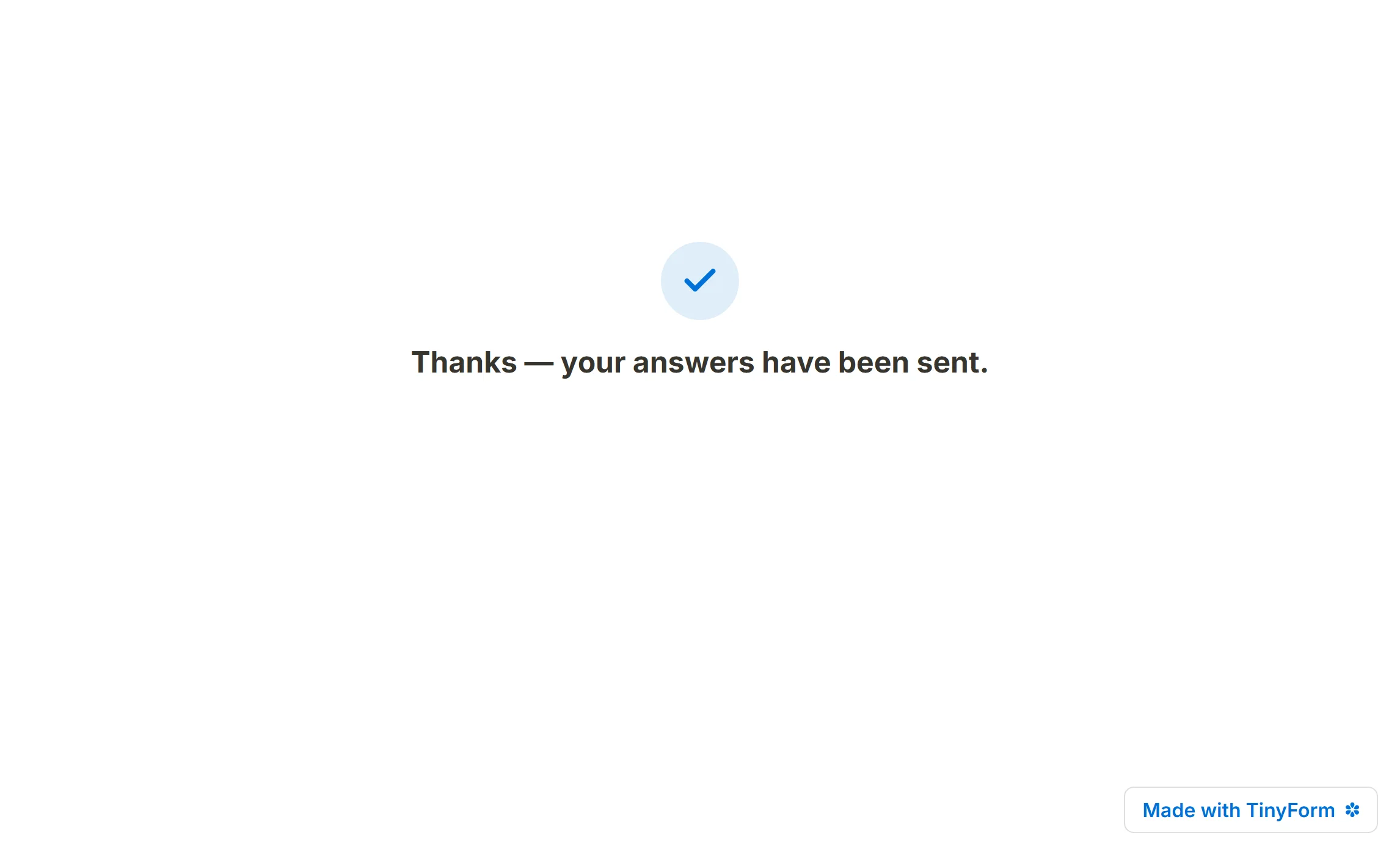
Every published form carries a small "Made with Tinyform" badge at its foot, on the form pages and on the thank-you page alike. Where a paid plan is sold, removing the badge is one of the two things it buys; where none is sold there is no plan to buy and the switch is open to everyone.
Where the badge is drawn
The badge appears wherever somebody is filling the form in: the published page at /r/<id>, a connected custom domain, a standard embed, a full-page embed, a popup, and the editor's Preview. Inside a popup it becomes the panel's bottom bar on screens narrower than 576 pixels. It is not drawn where nobody is filling anything in: the editor canvas, a template preview, version history, the submission PDF, and the closed and password screens.
It is written in the form's own language rather than the visitor's, so a form set to French says "Créé avec" and a form set to Turkish puts the name first, the way that language does.
How to remove the badge
Upgrade, if you are asked to
On an install with a paid plan, the row described below carries a
Prochip until your workspace is on the plan, and pressing the switch opens the upgrade page instead of moving. The rail'sUpgrade planrow leads to the same place.Open the form's Settings tab
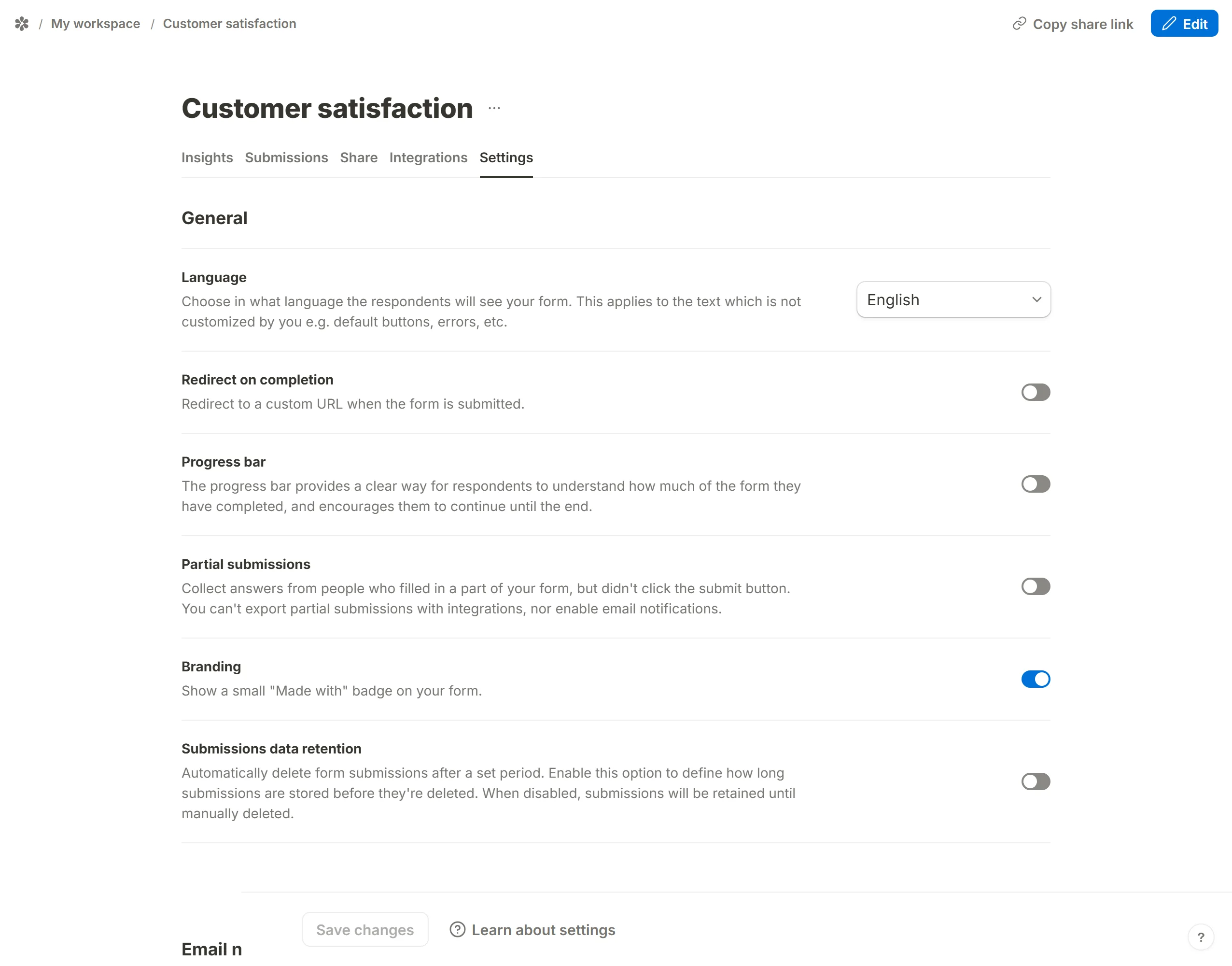
Under
General, findBranding. Its description reads: show a small "Made with" badge on your form.Switch it off and save
The badge disappears from every surface listed above the next time the form is loaded.
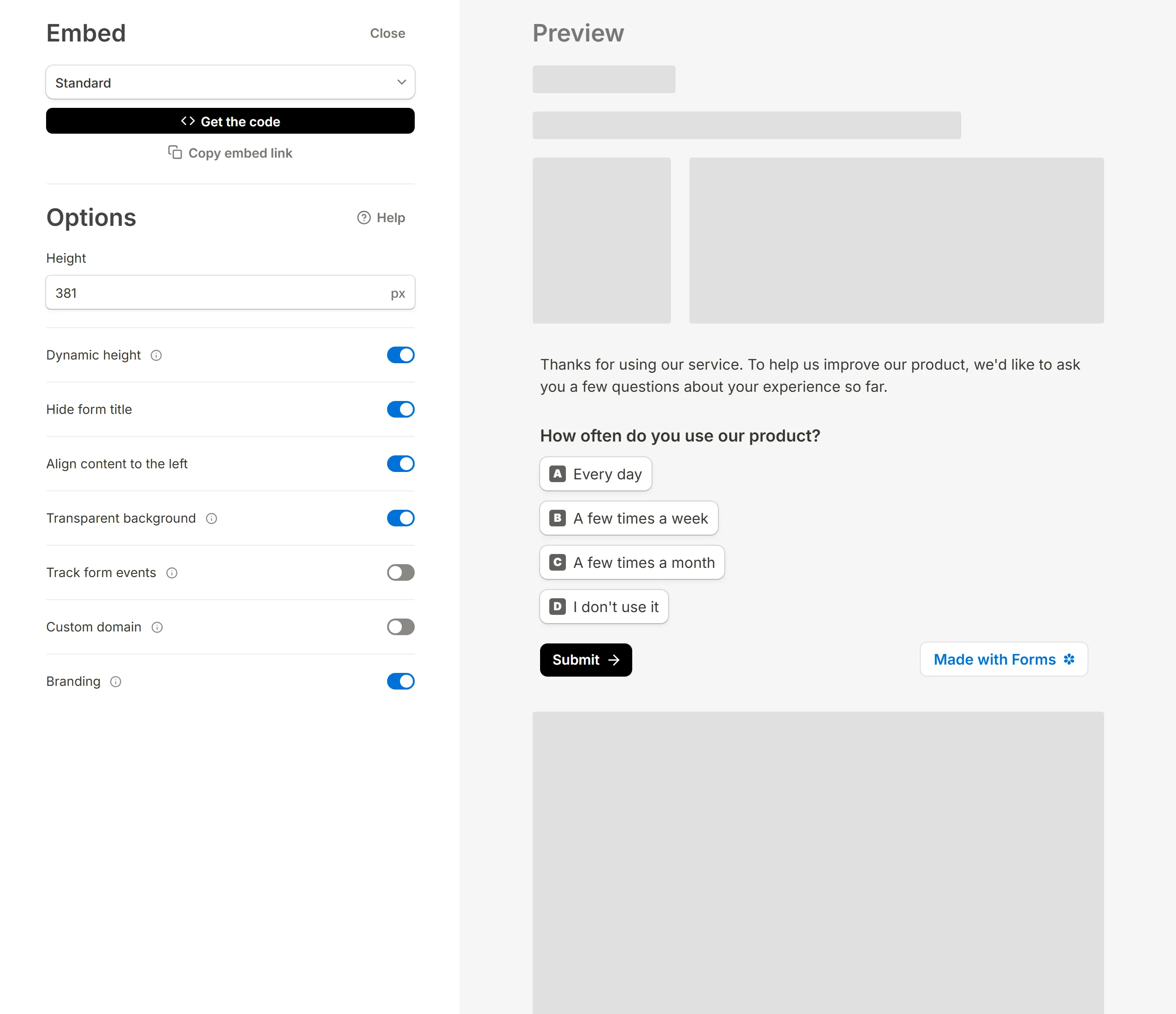
The same setting has a second door: the embed dialog on the Share tab has a Branding switch, and it writes the same value, so switching it off there also removes the badge from the public link. It is one setting per form, not per workspace, so each form is decided on its own.