How to delete and recover form data
Delete a form, a workspace or a set of submissions, what goes to Trash and for how long, and how to bring a form back.
Clearing test entries, honouring a deletion request, retiring an old survey: Tinyform lets you delete forms, workspaces and submissions from the pages they live on. A deleted form waits in Trash for 30 days before its data is purged, which is your window to undo a mistake. Submissions are the exception: deleting those is immediate.
How Trash works

A form you delete goes to Trash first. Open it from the Trash entry in the sidebar; the page is /trash.

Each row shows the form's name and the day it was deleted, with a Restore button. Nothing is purged until 30 days have passed; there is no button to empty the trash early.
How to delete forms and workspaces
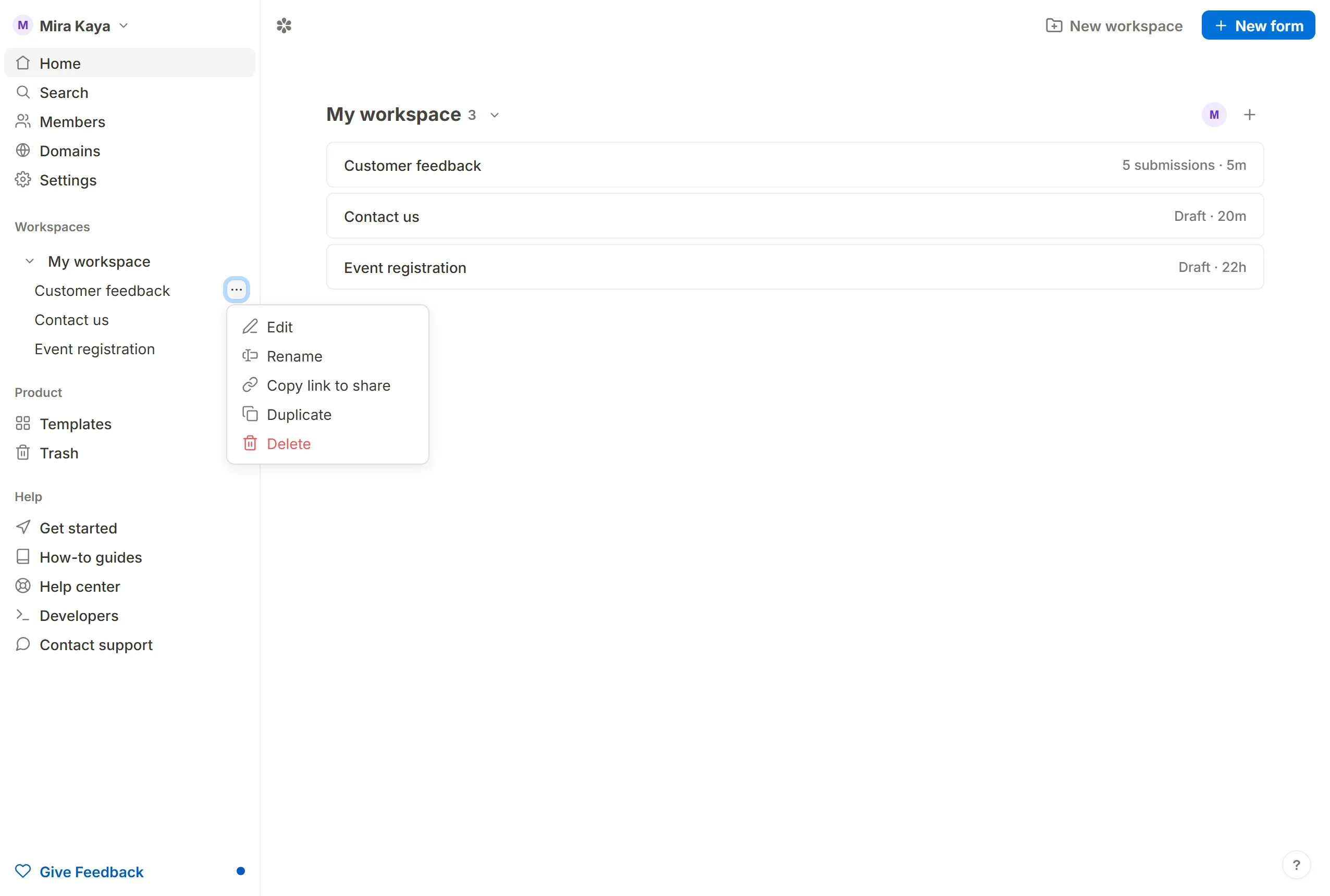
On the dashboard, hover the form's row, click … and choose Delete. The same menu sits in the header of the form's own pages. A dialog confirms that the form moves to Trash and can be restored for 30 days.
A workspace is deleted from the … beside its heading on the dashboard, with Delete workspace. Only the organization's owner may do it, and not to their only workspace. Every form in it goes to Trash, filed under the owner's next workspace in the same organization, which is where a restore puts them. Deleting a form takes its submissions with it.
How to delete form submissions
Open the form's Submissions tab. Tick the rows to remove, or the box in the header to select every row on the page, then press the trash button beside the "N selected" count. The row's own bin, at its right end, deletes a single submission. Either way a dialog asks once.

Deleting submissions is one step and final: the rows, every file uploaded with them and every drawn signature are removed together, and the form's response count goes down by the completed ones. They do not pass through Trash.
Restore deleted items
A form can be brought back from Trash within its 30 days.
Open Trash
ClickTrashin the sidebar.Find the form
Rows are newest first.Press Restore
The form returns with its settings, its versions and the submissions the purge has not touched.
Frequently asked questions
How long are deleted items kept in Trash?
A deleted form waits 30 days from the day it was deleted. After that its data is purged automatically.
Can I recover a permanently deleted form?
No. Once the purge has run there is nothing left to restore. Deleted submissions cannot be recovered at all, since they never enter Trash.
What happens to a form's public URL after I delete it?
Every surface treats the form as gone from the moment it is deleted, its published link included. Restoring it brings the link back.
Can I set a form to auto-delete submissions automatically?
Yes. Submissions data retention on the form's Settings tab takes a number and a unit, from minutes to years, and deletes submissions older than that on a schedule. Those deletions are final in the same way a manual one is. Control submissions data retention