How to repeat questions and get multiple answers
Collect several people, items or entries in one form by duplicating a set of questions and revealing each copy with conditional logic.
Sometimes one respondent has more than one thing to register: a second guest, another line item, the details of each child. Tinyform has no block that lets a respondent add rows on their own, so the way to take several entries is to build the copies into the form and reveal them one at a time with conditional logic.
There are two ways to arrange that:
- Show the next set of questions as soon as the previous one is filled in.
- Ask a yes/no question and repeat the set on a new page.
Repeat fields with conditional logic
Build the first set
Insert the questions one entry needs, for example a name and an email address.
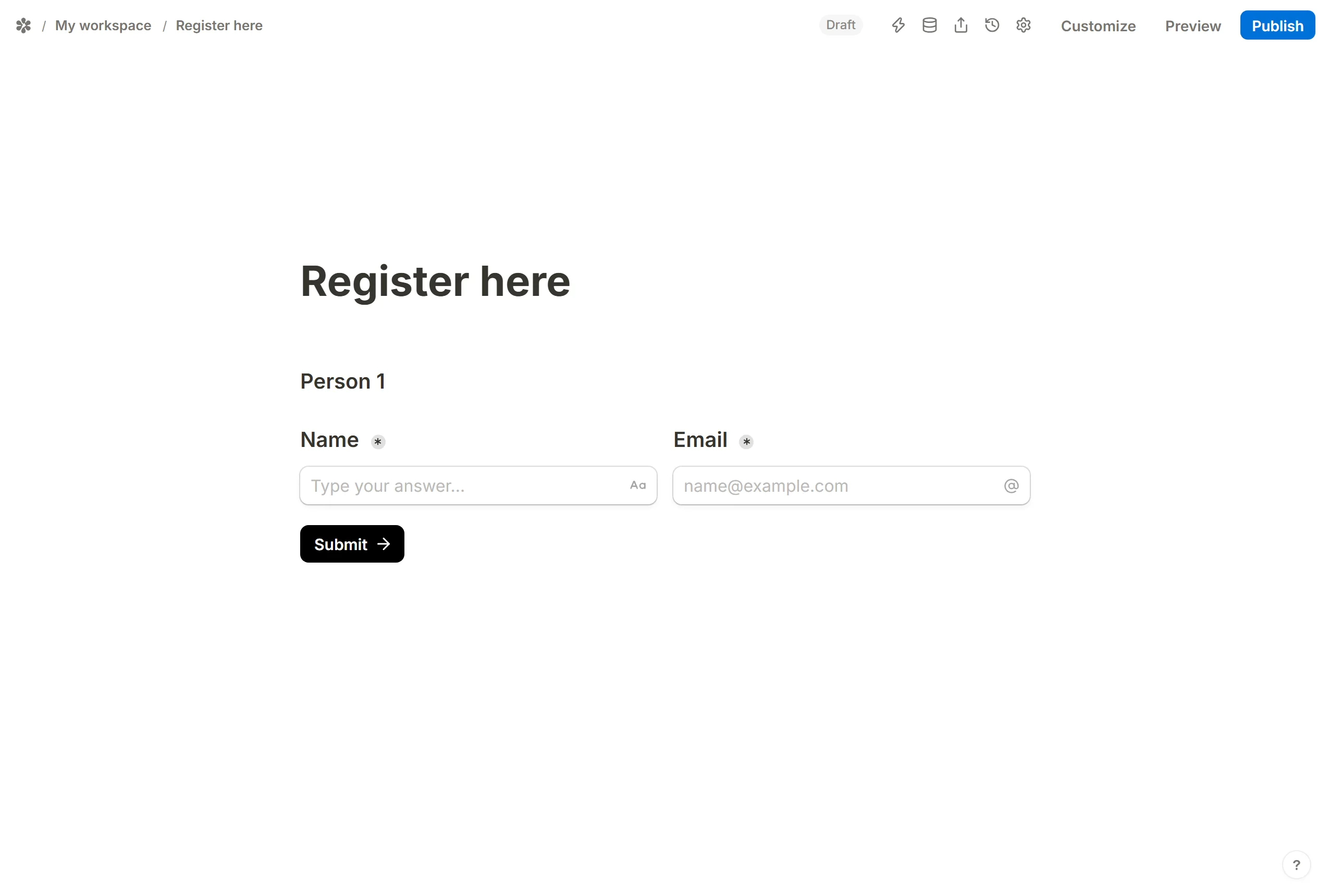
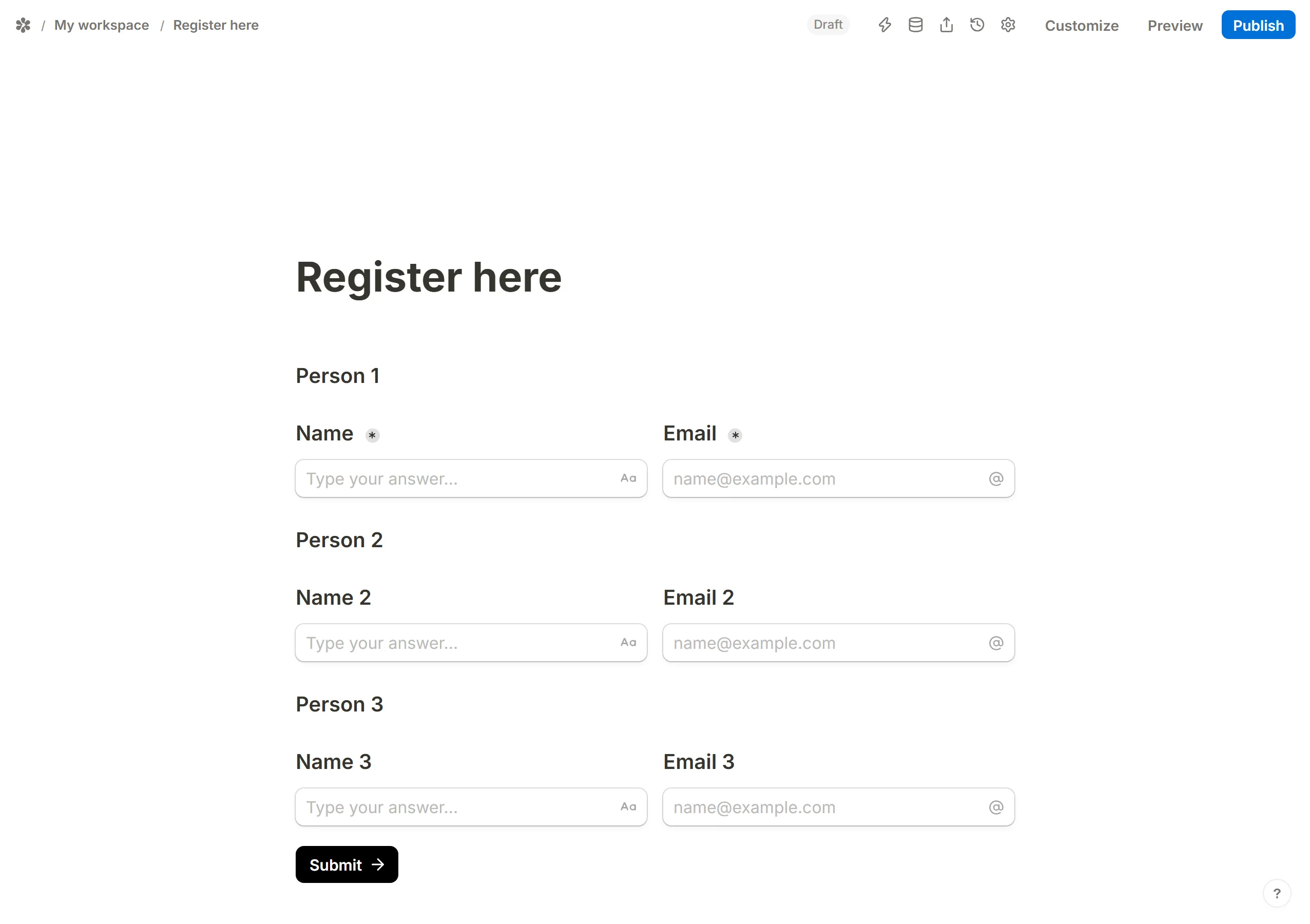
Duplicate it
Copy the set as many times as the most entries you expect. PressCtrl+D(orCmd+D) on a block, or pickDuplicatefrom its block menu.
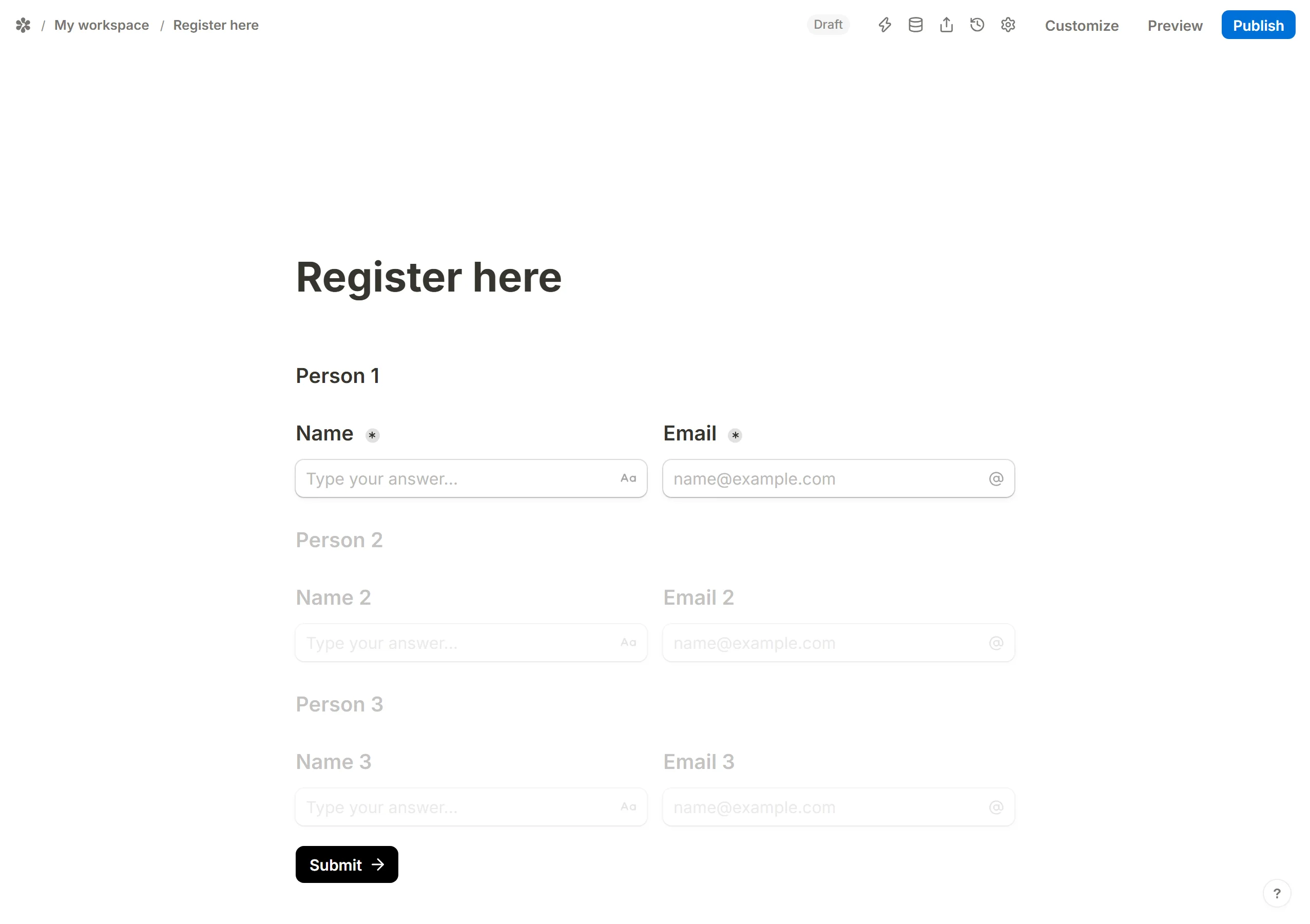
Hide every copy but the first
Open each copied block's menu and chooseHide. Hidden blocks stay in the editor and are left off the published page until a rule shows them.
Add the rules

Insert aConditional logicblock.Whenthe last question of a setIs not empty,Then→Show blocksand pick the next set. One rule per set.
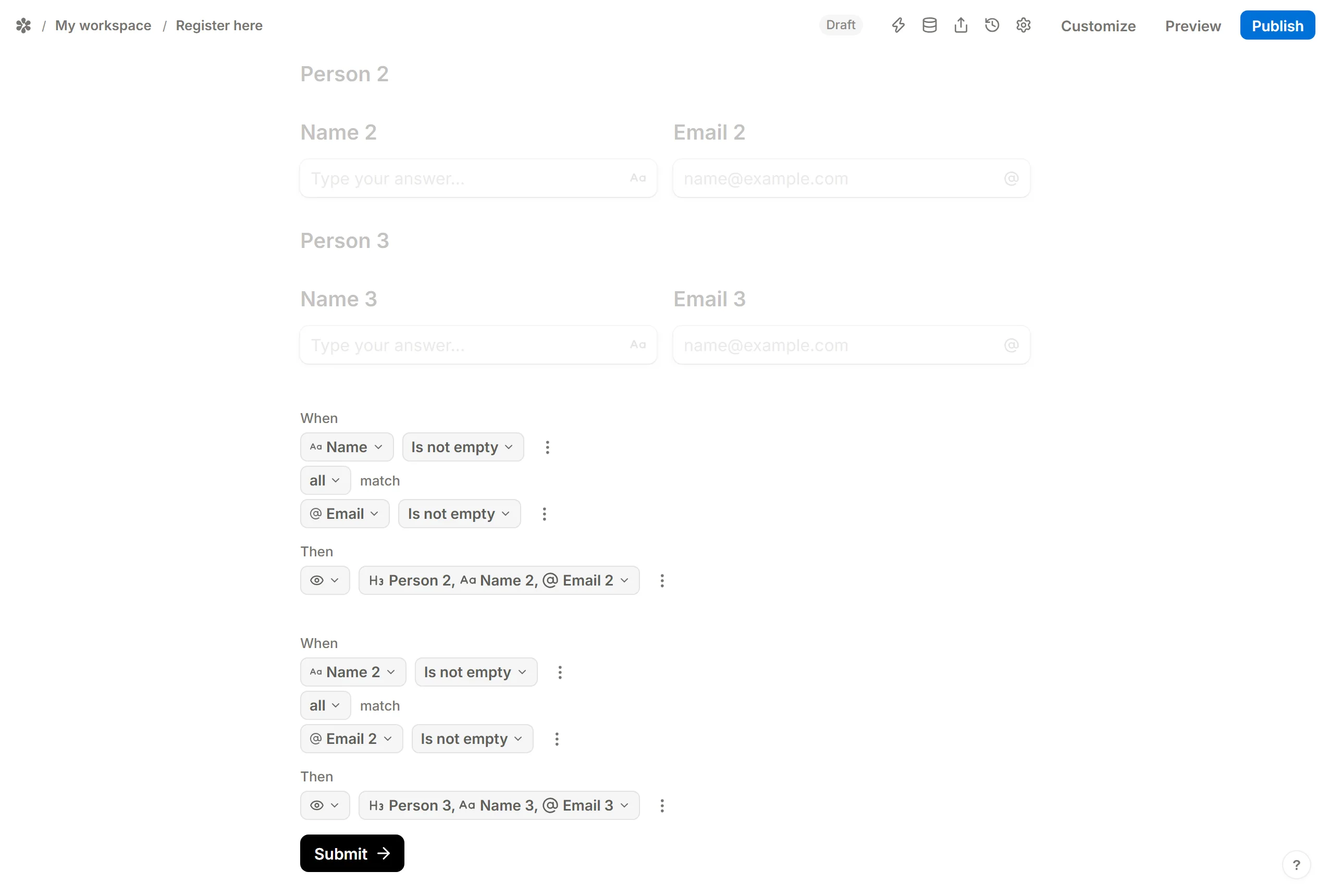
Rules are re-evaluated as the respondent types, so the next set appears the moment the previous one is complete, with no button to press.
Try it
OpenPreviewand fill the first set in to watch the second one appear.
Repeat fields based on a yes/no question
This shape puts every entry on its own page, which reads better when a set is long.
Build the first page
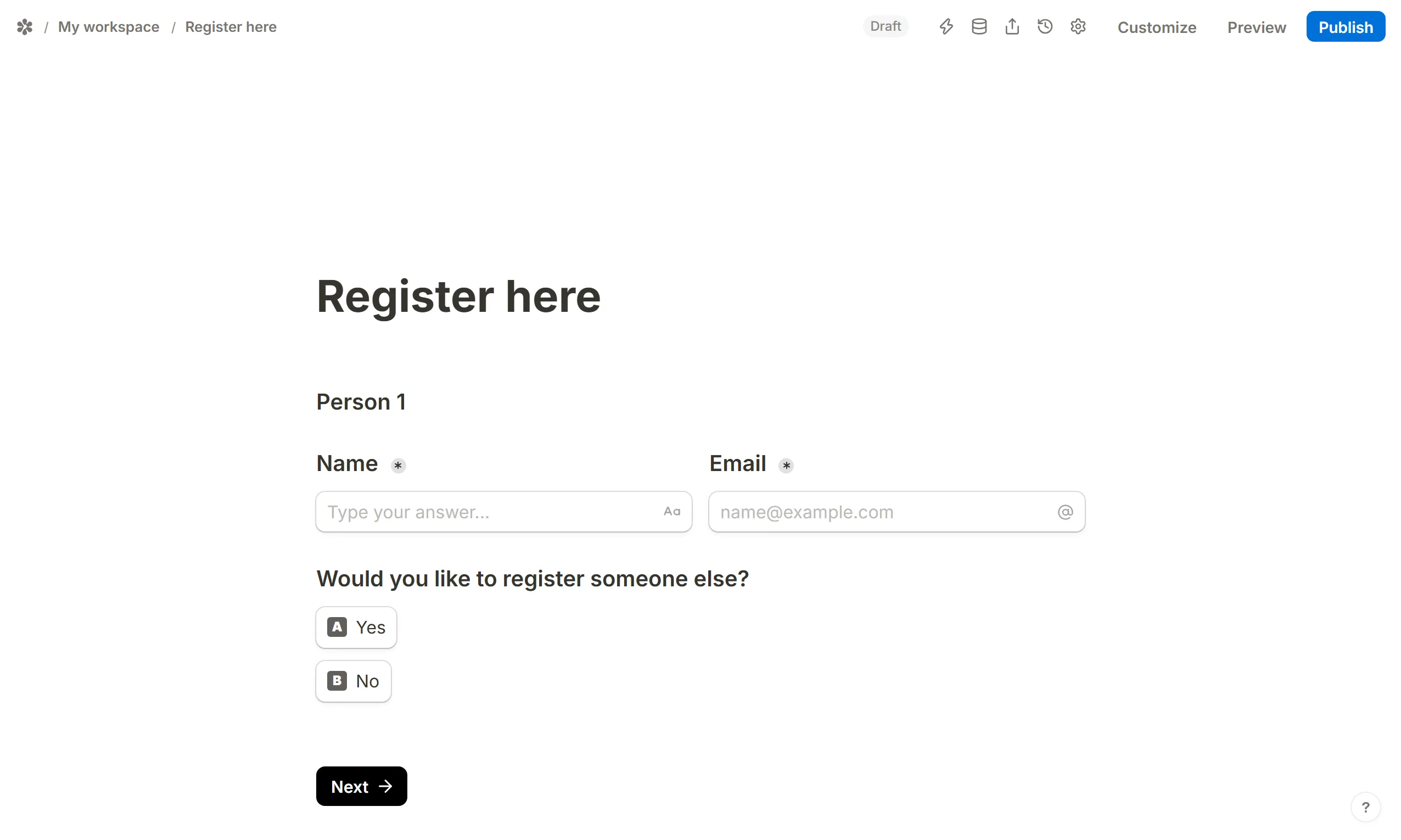
Insert the first set of questions, then aMultiple choicequestion such as "Would you like to register someone else?" with the options Yes and No.
Add a page per entry
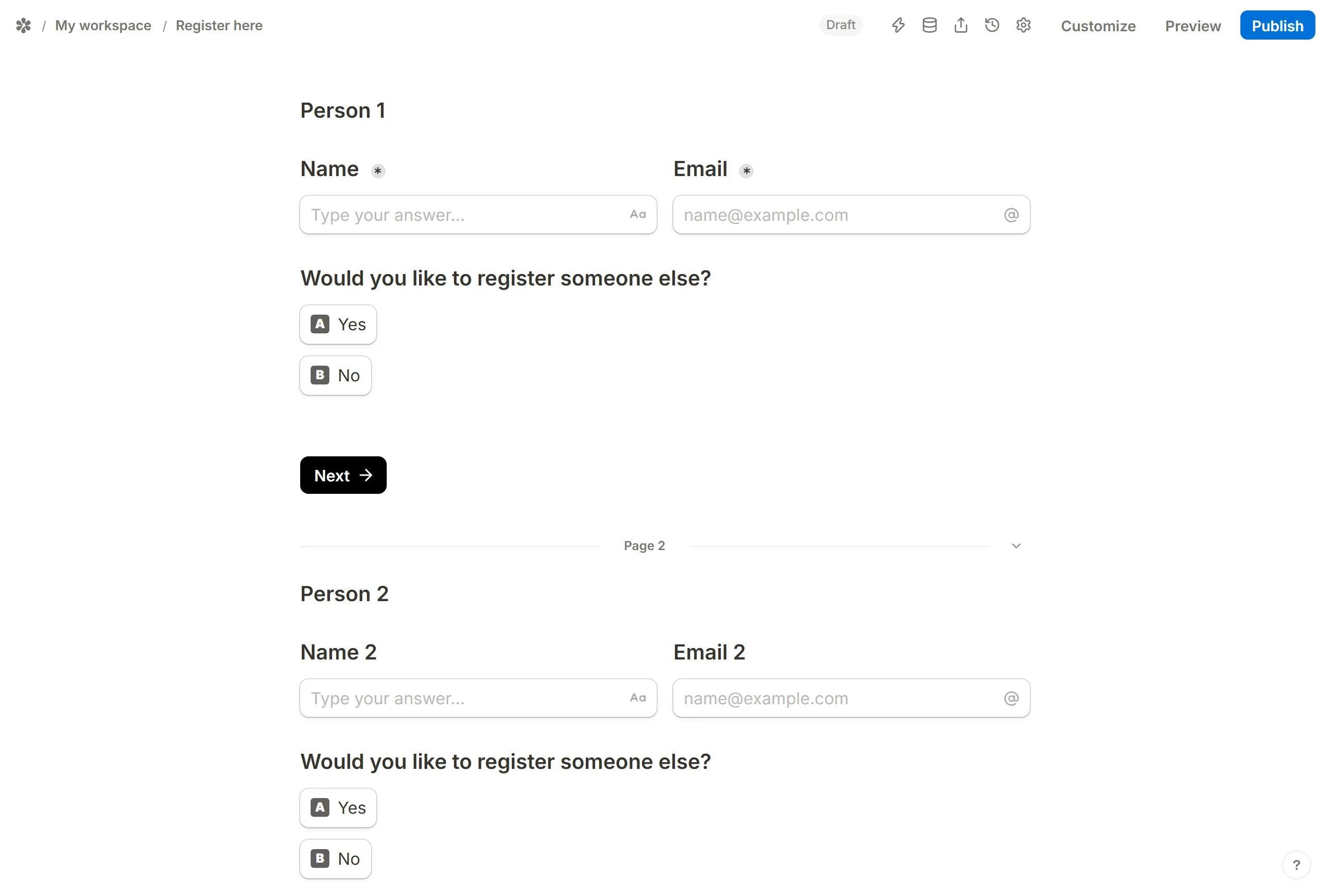
Insert aNew pageblock and repeat the set and the yes/no question on it, once for each entry you expect. The last page needs no question.
Route each answer
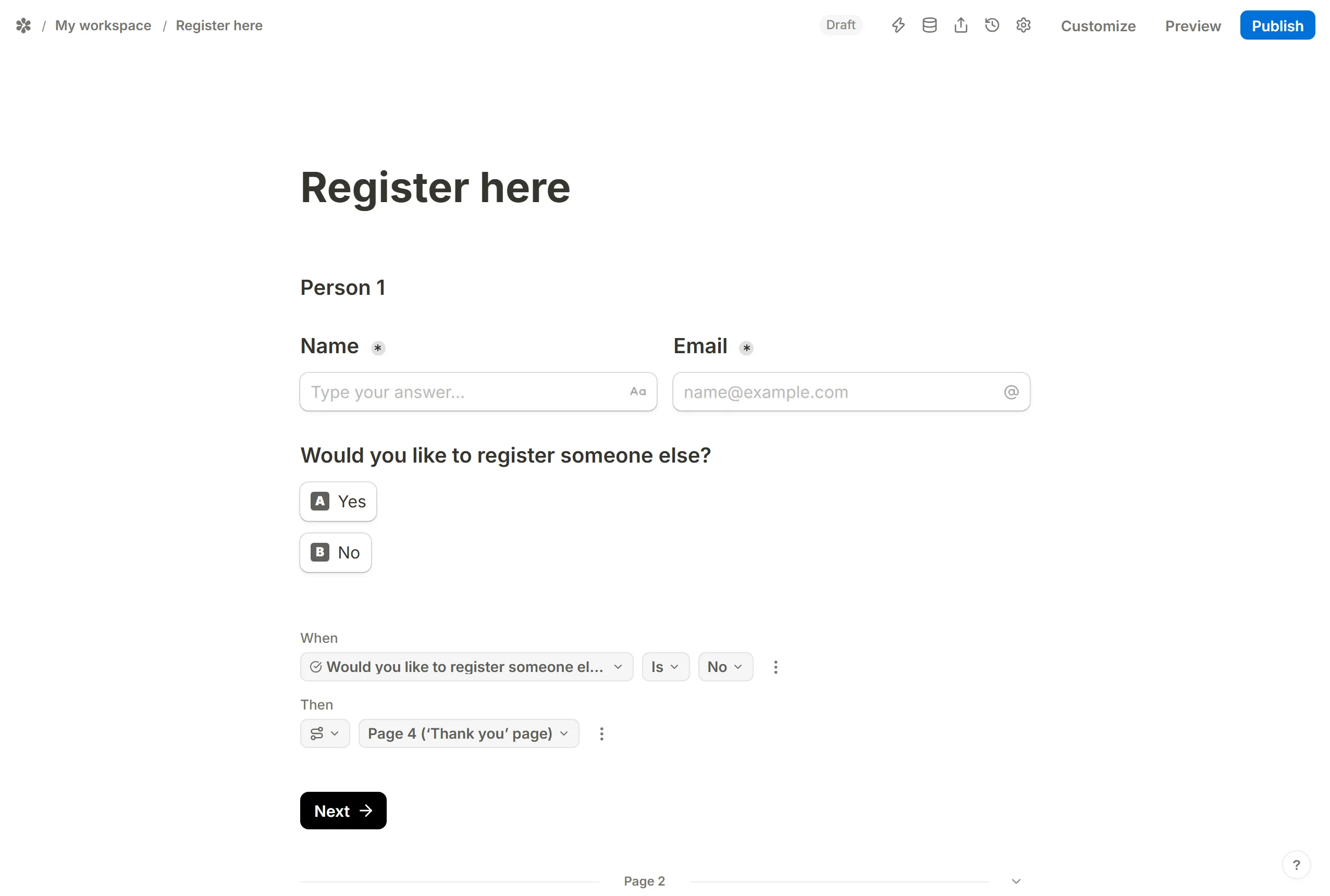
On every page add aConditional logicblock:Whenthe yes/no questionIsNo,Then→Jump to pageand pick the thank-you page. A Yes falls through to the next page on its own.
What is not here
A repeatable group, where the respondent presses "Add another" and a fresh row appears with no ceiling, does not exist in Tinyform. The patterns above cap the number of entries at however many copies you built in.