How to submit another response
Let the same person fill a form in more than once: a reload, a redirect back to the form, or a link on the thank-you page, and the setting that stops it.
A form at a front desk, a kiosk, or a sign-up sheet passed around a room needs to take one response after another from the same screen. Tinyform has no "Submit another response" button on its ending screen, but three things already in the product get you there.

Reload the page
Every load of /r/<id> starts a fresh, empty fill. Once a form has been submitted, any answers the browser was holding for it are discarded, so a reload after the thank-you page is a clean start, even with Save answers for later switched on.
Redirect back to the form
For a one-press repeat with nothing for the respondent to find, send them straight back. Open Settings → General, turn on Redirect on completion and paste the form's own address, the full https://…/r/<id> link from the Share tab. The thank-you page is skipped and the next respondent sees the first question.
Put a link on the thank-you page
If you want the thank-you page to show, give it the link instead.
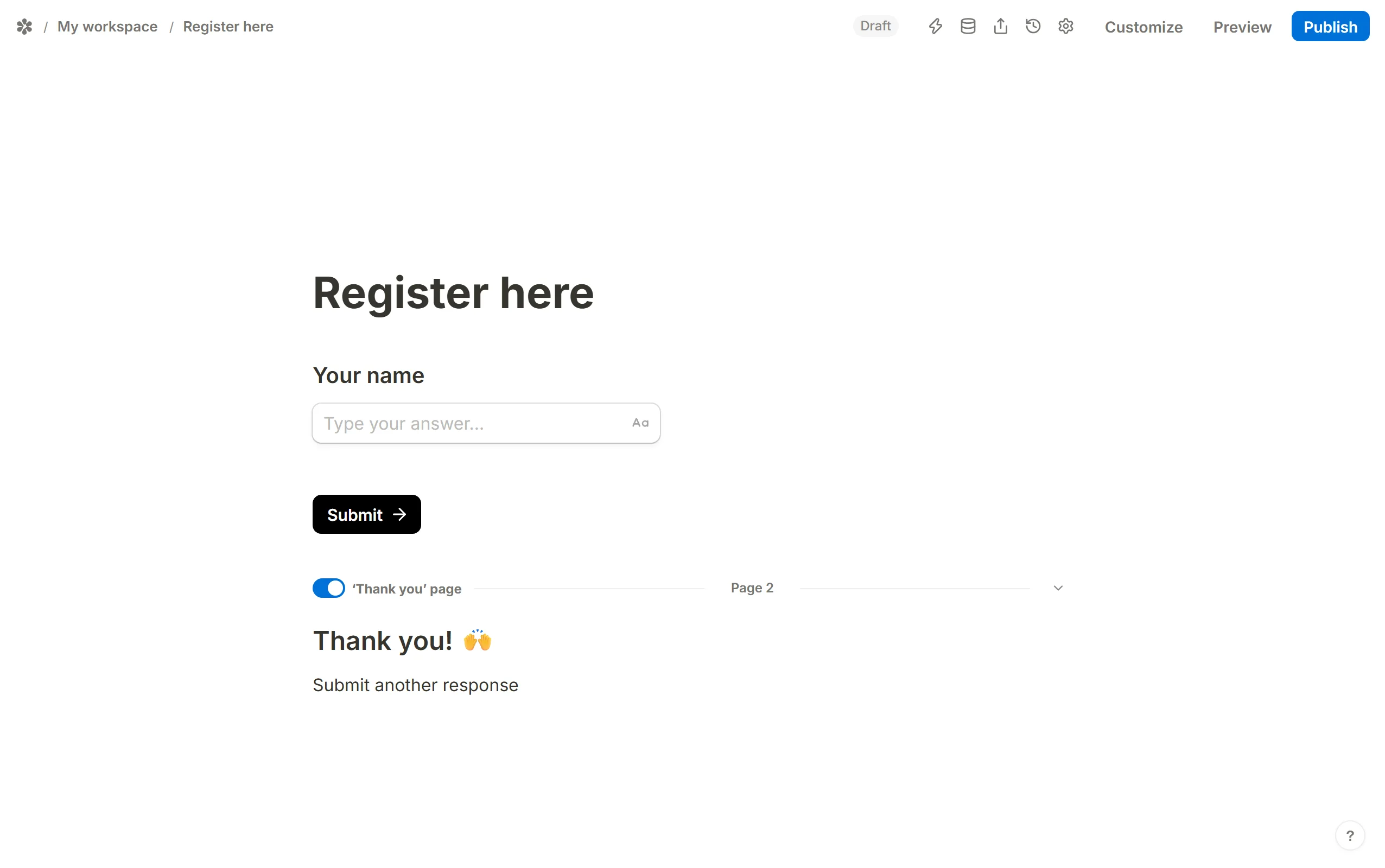
Write the ending page
Build a thank-you page and add aTextblock with a short call to action, for example "Submit another response".
Link it to the form
Select the words, chooseAdd linkand paste the form's own address.
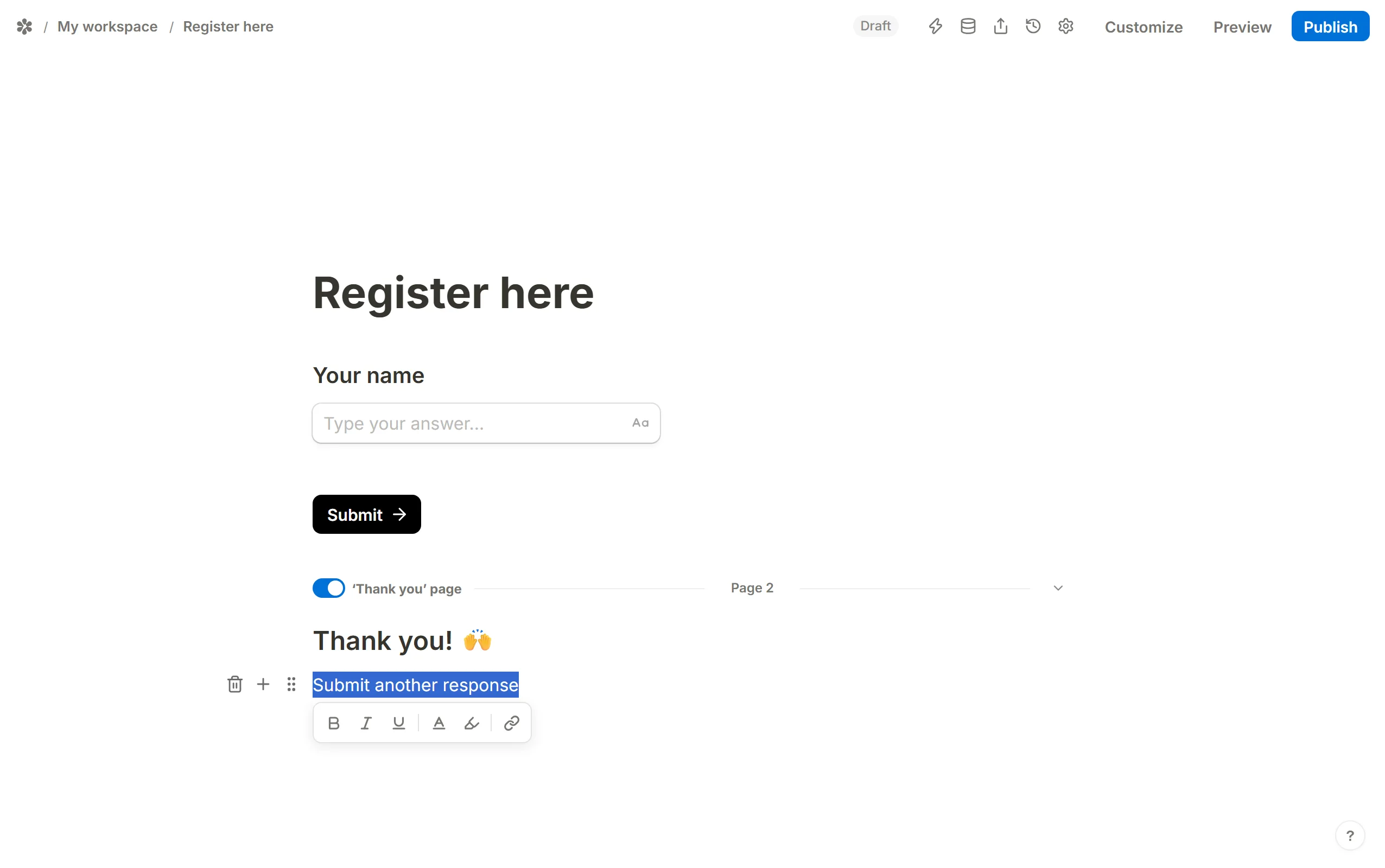
Publish, and the link opens the form again as a new fill.
The setting that stops a second response
Settings → Access → Prevent duplicate submissions refuses a second fill that matches an earlier one on the field you picked (an answer, the network address or the respondent id). Leave it off on a form that is meant to be filled in repeatedly from one device, or a second person at the same desk is turned away with "Form submission not accepted".