Respondent’s country
Record which country a submission came from, without asking, and branch the form on it.
The Respondent's country block works out where a submission came from using the address the request arrived from, and files the country with the answers. Nothing is asked and nothing is shown: the respondent never sees the block, and no address or other personal detail is kept, only the two-letter country code. Tinyform resolves it on the server, once per fill.
Add the block
In the editor, open the insert menu and pick Respondent's country under Advanced blocks (/country on an empty line finds it too). On the canvas the block draws a chip that reads Loading... until the lookup answers, then shows the country of whoever is looking at the editor, which is the quickest way to see the block working.

Finish the form and Publish it. When somebody submits, the country is resolved again from their request and stored under the block. The browser never sends it, so it is the one answer a respondent cannot choose.
Where the country shows up
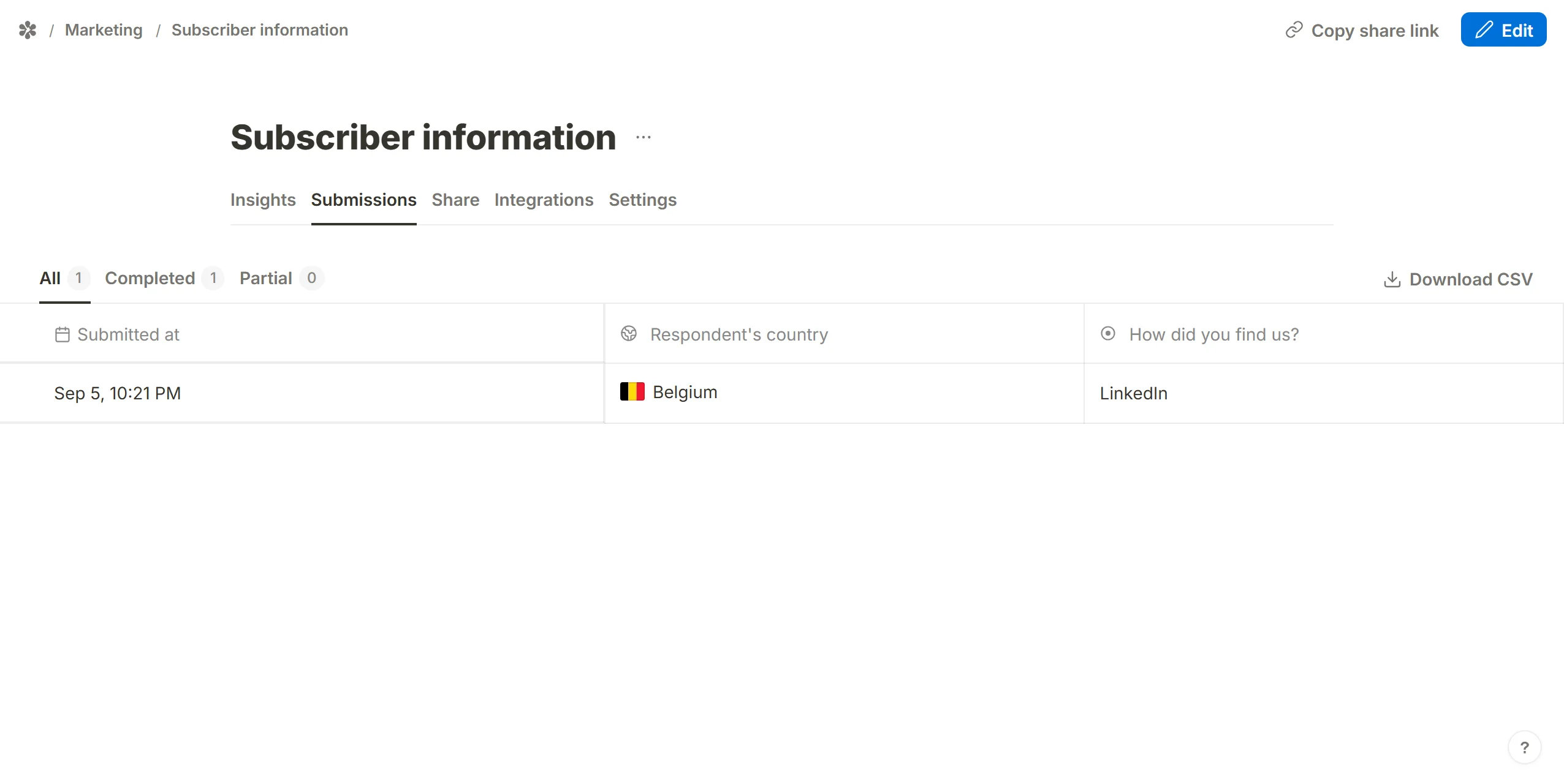
The Submissions tab draws the flag and the country's English name beside each response; the CSV export carries the ISO code that is stored. The block is not part of the drop-off funnel on Insights, since there was nothing to answer. The Visits tab has a country breakdown of its own, counted from page views rather than from this block, so the two numbers are not expected to match.
Use the country in the form
Show or hide content by country
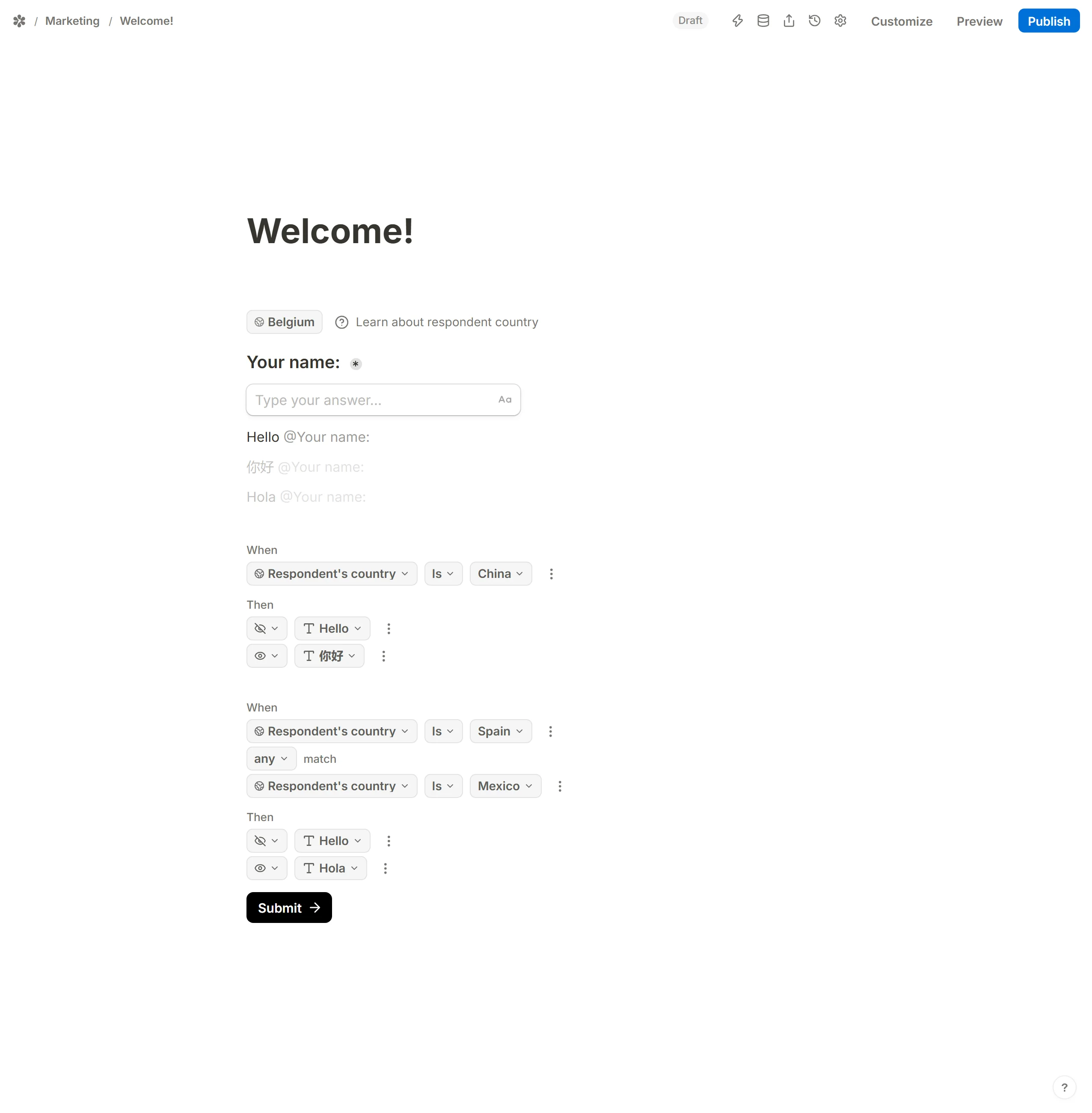
Conditional logic can read the block. Add a logic block, pick Respondent's country as the field, and choose from Is, Is not, Is any of, Is not any of, Is empty and Is not empty. The action can show blocks, hide them, or jump to another page, so a form can take a different route for each region.
Allow or block access for some countries
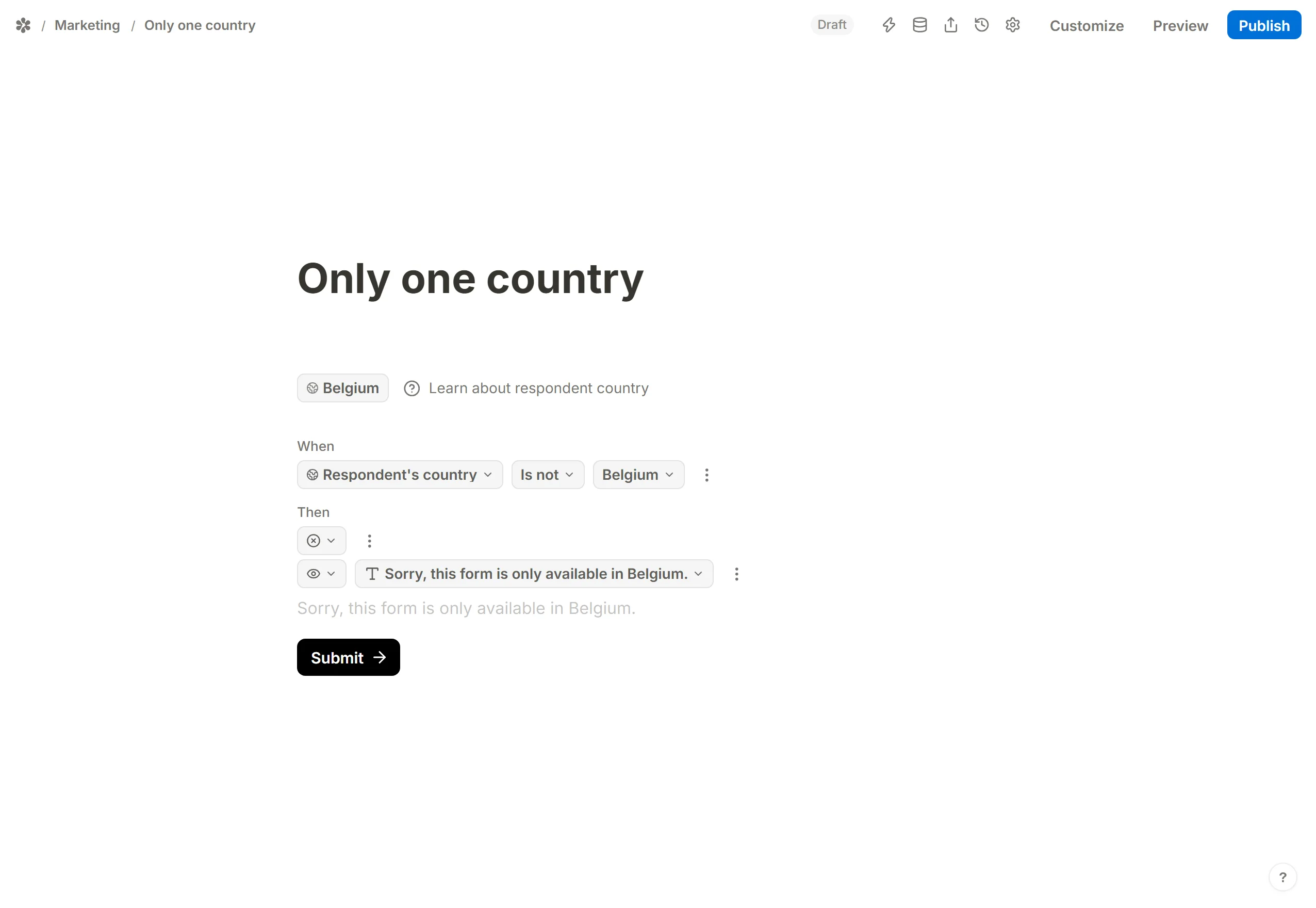
The same logic can hide the button that ends the page: condition on the country, then Hide blocks aimed at the submit button or the next-page button. Because the lookup can be wrong, it is worth leaving a contact line on the page for anyone who believes they were blocked by mistake. Is empty catches the respondents who could not be placed at all, so you can decide what happens to them too.
Mention the country
The Settings tab's @ menu lists the block, so an email notification or the Redirect on completion URL can carry the country. The editor's own @ menu does not offer it, so the country cannot be quoted inside the form's text.
Pre-fill a question with the country
The Default answer picker on a question offers input fields, calculated fields and hidden fields. It does not offer the respondent's country, so a dropdown cannot be pre-selected from it.
Frequently asked questions
What is an IP address?
Every device on the internet has a numeric address, and it is sent with every request so that the answer can find its way back. That address is what the country is read from; it is used for the lookup and not stored.
Is there a country question that fills itself in?
Not in Tinyform. A Dropdown with a list of countries is a question the respondent answers; this block is a value the server records. The two are separate and neither fills the other.