Answer piping
Quote an earlier answer later in the same form, so a question, a heading or a thank-you page speaks to the respondent by name.
Once a form has asked something, it can repeat the answer. Answer piping is the @ mention: you type @ in any text on the canvas, pick a field, and whatever the respondent enters there is substituted into the text as they fill the form in. Tinyform does the substitution live, on the published page.
How it works
Every question in the form is a source. Ask for a name on page one, mention that question in a text block on page two, and the block reads "Nice to meet you, Marie" the moment Marie has typed her name. The mention is stored against the question itself rather than its wording, so renaming the question in the editor does not break it.
Mention an answer
The commonest use is addressing the respondent by name, so that is the example.
Ask the question
Insert aShort answerblock and give it a caption such as "Your name".Type @ where the answer should appear
In a text block further down, type@. A menu opens with the sectionsMention an input field,Mention a calculated field,Mention a hidden fieldandMention the submission. Pick "Your name", or keep typing to filter the list.Check it in Preview
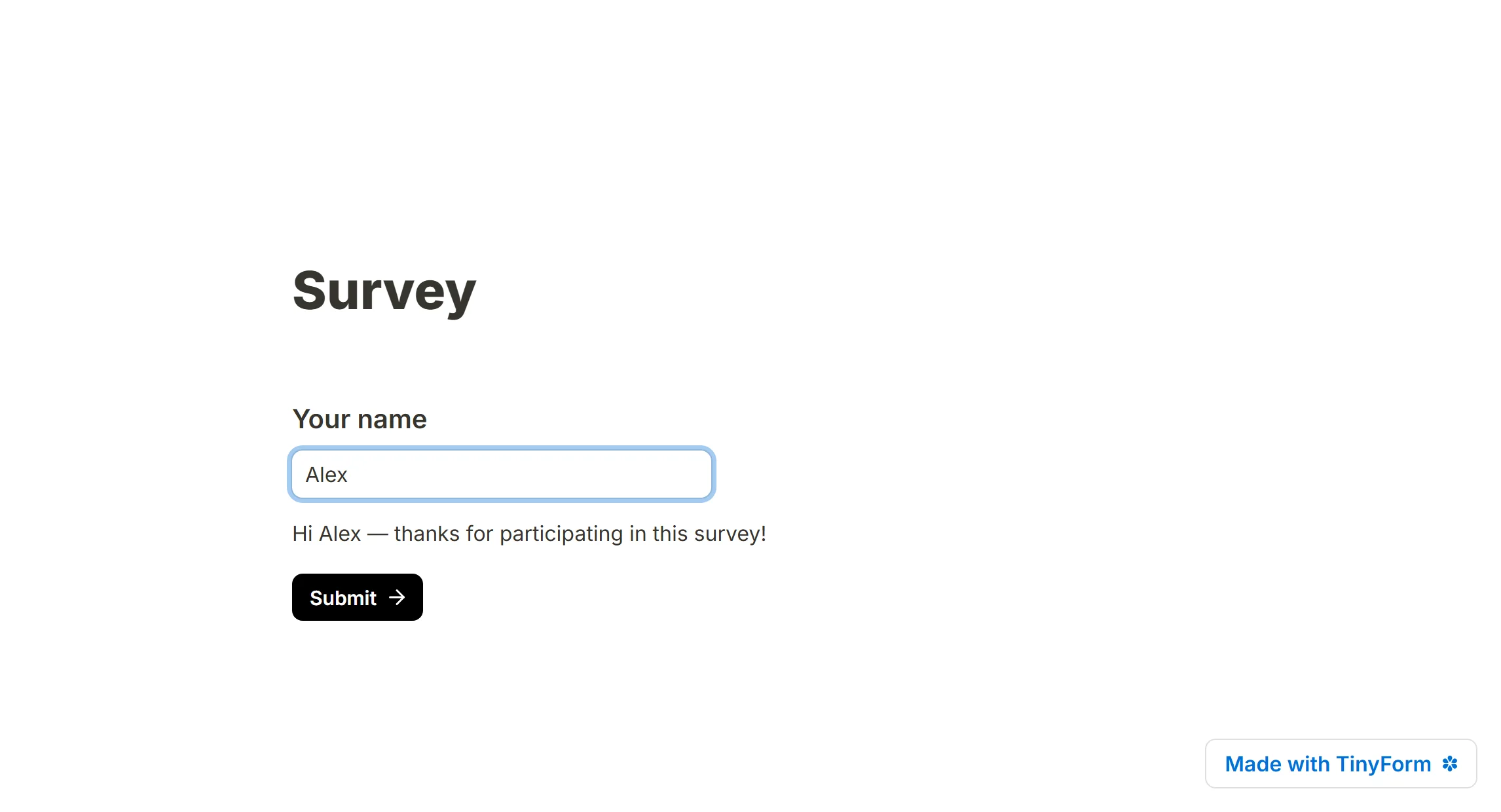
PressPreview, answer the question, and watch the text change.
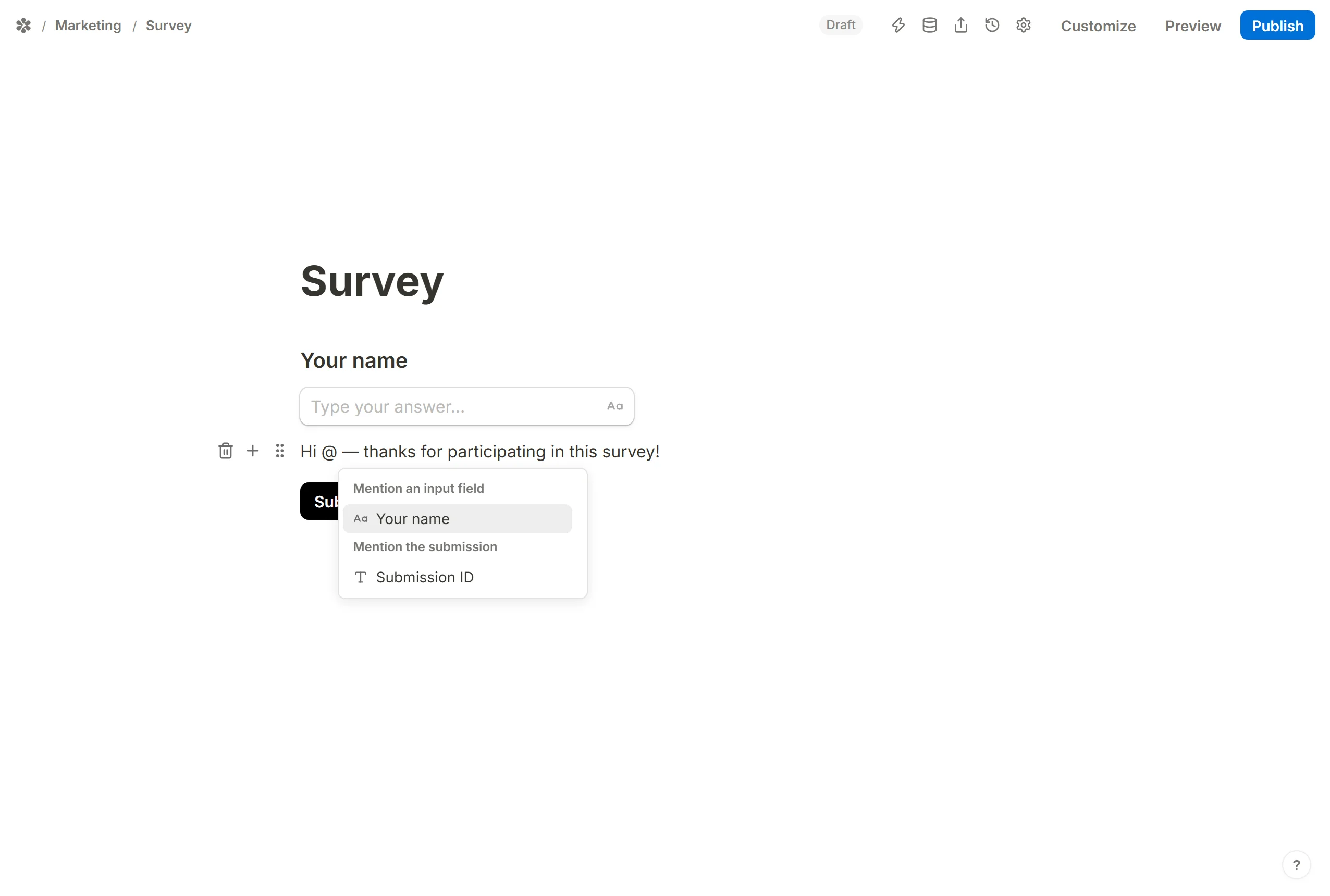
On the published form the mention is replaced by whatever the respondent typed.
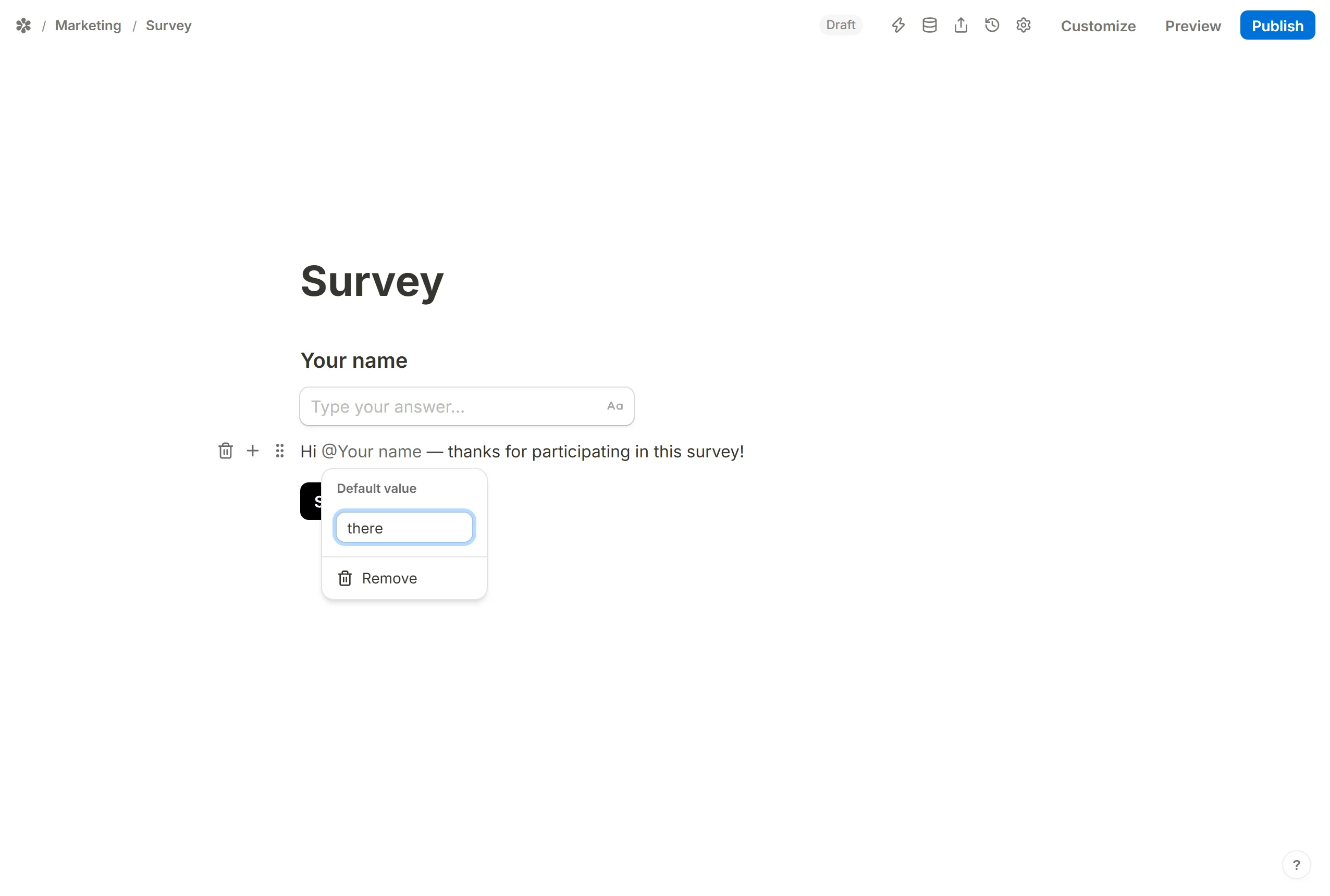
If the question is optional and left empty, the mention would print nothing. Click the chip in the editor and set a Default value to show instead; the same panel has Remove, which turns the chip back into plain text.
What can be mentioned
- Input fields, which is any question the respondent answers.
- Hidden fields, for data the link carried in.
- Calculated fields, for a price, a score or a text the form built itself.
Submission ID, underMention the submission: the id the response was filed under, which only exists once the form has been sent, so it is meant for a thank-you page.
Where a mention works
Inside the editor, anywhere there is text: paragraphs, headings, question captions, option labels and thank-you pages. In a formula, the same @ references a field, minus Submission ID, since a formula runs before there is a submission.
Outside the editor the Settings tab uses the same idea in the Redirect on completion URL and in both email composers. There the mention is written as @Name and matched against the question's current caption, so a question renamed after the fact reads back as plain text in those boxes rather than quietly resolving to nothing. Re-pick it from the @ menu to chip it again.