How to measure Customer Satisfaction Score (CSAT)
What Customer Satisfaction Score is, how it is calculated, and how to build a CSAT survey with a rating question that Insights scores for you.
Customer Satisfaction Score (CSAT) measures how satisfied someone was with one specific thing: a purchase, a support conversation, an onboarding step. It comes from a single question, "How satisfied were you with [product or experience]?", and is the metric teams watch at the moments in a customer's journey that can go wrong.

This guide explains what the number means and how to build a CSAT survey in Tinyform whose score the Insights tab computes on its own.
What is Customer Satisfaction Score?
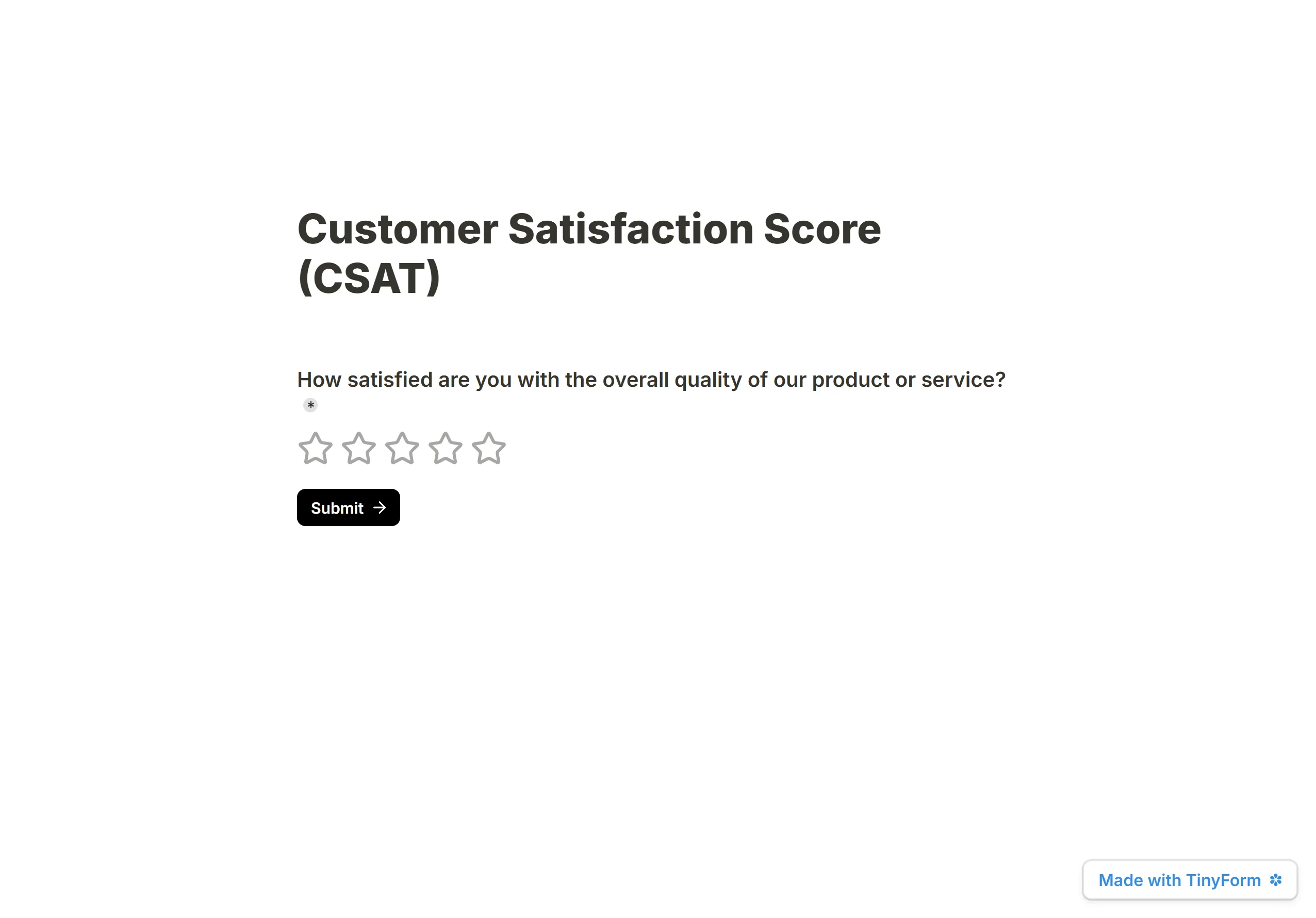
CSAT captures satisfaction with a specific interaction. The usual form is one question, "How satisfied are you with the overall quality of [X]?", answered on a 1 to 5 scale (some teams use 1 to 7 or 1 to 10) and reported as a percentage.
It is a satisfaction measure rather than a loyalty one. It tells you how one moment landed, which makes it the sharpest tool for finding a broken step, and the natural companion to a loyalty figure like NPS.
How is CSAT calculated?
On a 1 to 5 scale, answers fall into three bands:
- Satisfied (4 to 5): people whose experience went well.
- Neutral (3): indifferent, counted in the total but not as satisfied.
- Dissatisfied (1 to 2): people the experience let down.
CSAT is the satisfied answers divided by all answers, times 100:
| Responses | Satisfied | Neutral | Dissatisfied | CSAT |
|---|---|---|---|---|
| 100 | 75 | 15 | 10 | 75 ÷ 100 × 100 = 75% |
The score runs from 0%, nobody satisfied, to 100%, everybody satisfied, and is always written as a percentage.
How to build a CSAT survey
The standard question is How satisfied are you with the overall quality of our product / service / interaction? Keep it short and aimed at the one moment you are measuring. Pair it with an open follow-up for the reason behind the score and the survey is done.
1. Add the CSAT question
Create a form and insert a Rating question. It draws five stars by default; the Stars setting in its popover changes the count. Use the standard wording as the title. A Linear scale from 1 to 5 works the same way if you prefer numbered buttons to stars.
2. Add a follow-up

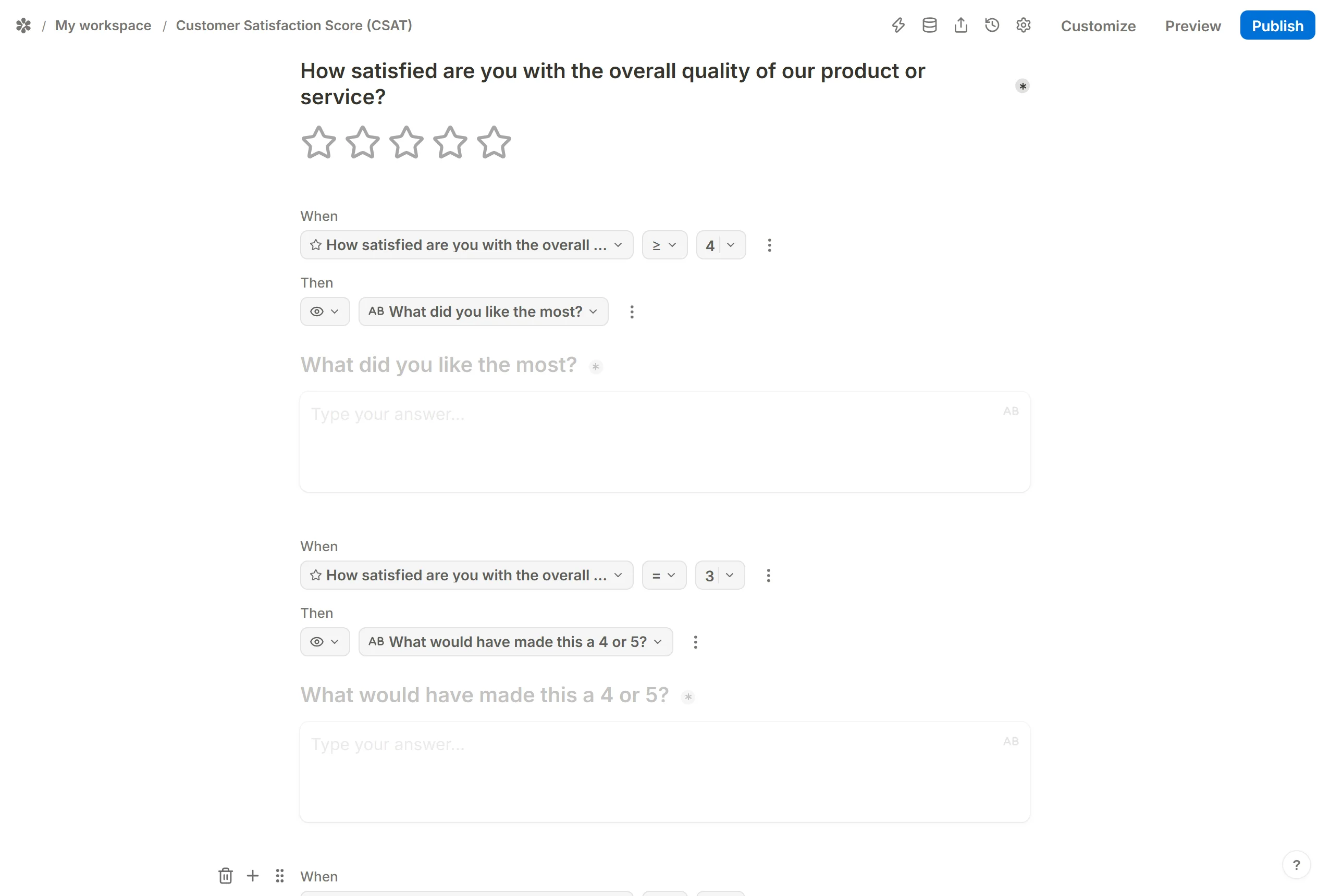
Put a Short answer or Long answer question straight after the rating to capture the reason. "What is the main reason for your rating?" suits everyone. To tailor it, hide three follow-ups with the block menu's Hide and reveal one with conditional logic; a rating offers the numeric comparators:
Whenthe rating≥4 →Show blocks→ "What did you like most?" for the satisfied. Good material for testimonials.Whenthe rating=3 → "What would have made this a 4 or 5?" surfaces the smallest change with the biggest effect.Whenthe rating≤2 → "What went wrong?" is usually the most useful answer you will get.
3. Share the survey

Send the published link, embed the form on a page, or open it as a popup inside your product. CSAT works best straight after the moment it measures, so a popup on the order confirmation or the closed-ticket screen beats an email a week later.
With one question on the first page, switch on Settings → Behavior → Auto-jump to next page; a tap on a star moves the respondent on without a Next button.
4. Read the score in Insights
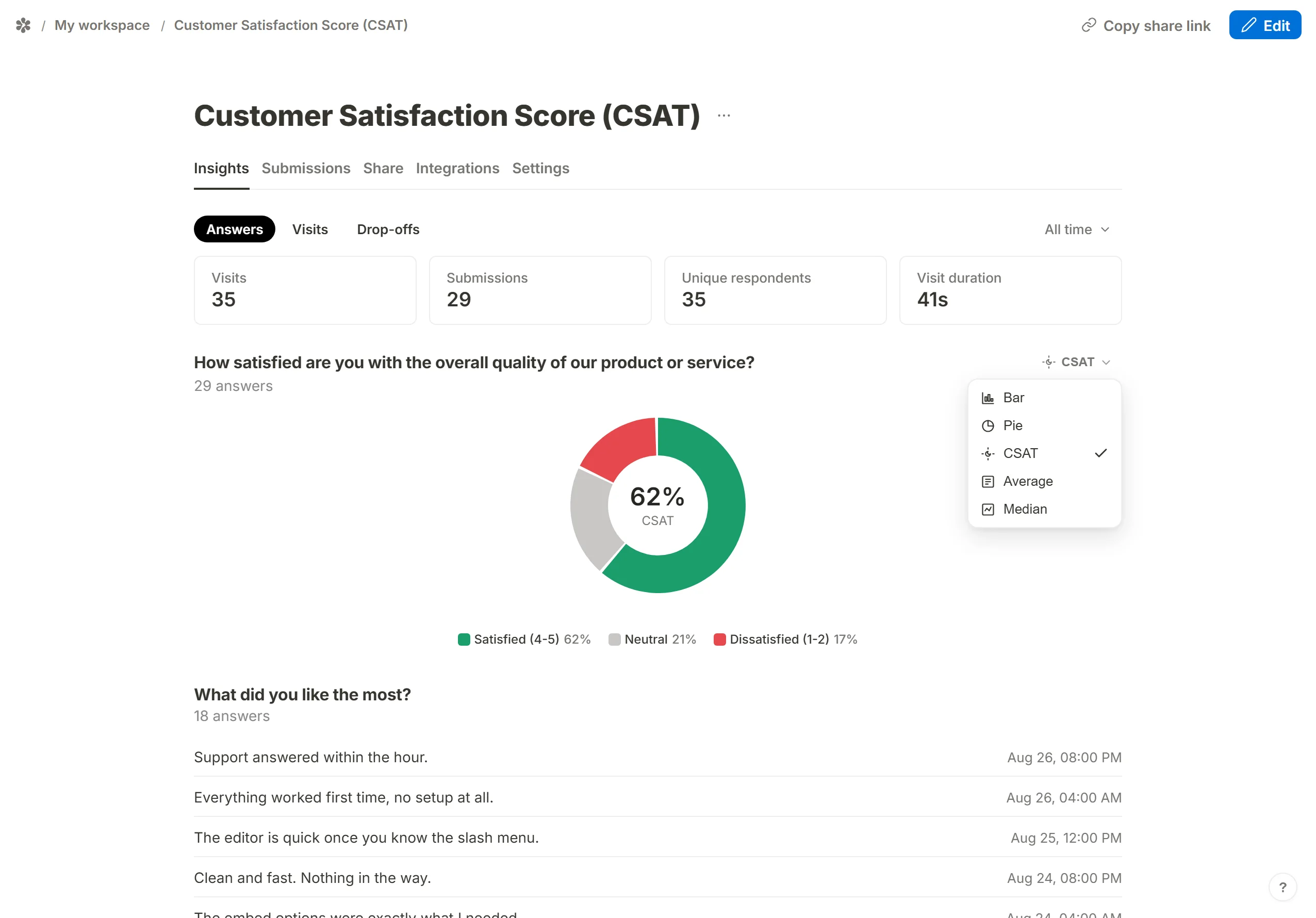
Open the form's Insights tab. The Answers view draws a card for the rating question, and the card's view picker offers CSAT beside Average and Median. The CSAT ring shows the satisfied share as the figure in the middle, with the satisfied, neutral and dissatisfied bands around it. The bands scale to the question's top mark, so a 1 to 5 rating reads 4 to 5, 3, and 1 to 2, and a 0 to 10 scale splits into its own thirds.
The view you pick is remembered for that question in your browser, and the range picker at the top runs from today to all time (today, yesterday, the last 24 hours, 7 days, 30 days, 3, 6 and 12 months, and all). No range is locked.
5. Send it onwards
Once responses arrive, email notifications can tell you about each one as it comes in, and webhooks can hand every response to the tool your team already works in, so a dissatisfied score reaches the right person the same hour.
What is a good CSAT score?
Above 70% is generally read as healthy, above 80% as strong, and above 90% as exceptional. As with NPS, the useful comparison is within your own sector: consulting, retail and financial services tend to run higher than healthcare, telecoms or media, so a 75% is a strong result in one and middling in another. Across all industries the median sits somewhere in the high seventies. Compare against your sector, and most of all against your own trend over time.
Frequently asked questions
What is the difference between CSAT, NPS and CES?
They answer different questions. CSAT measures satisfaction with one interaction, usually on a 1 to 5 scale. NPS measures long-term loyalty, "Would you recommend us?", on a 0 to 10 scale. CES, the Customer Effort Score, measures how easy a specific task was.
How often should you send a CSAT survey?
Right after the moment you want to measure, typically within a day or two of a purchase, a support ticket or an onboarding step. For the product as a whole, a quarterly check-in is common.
What is a good follow-up question?
"What is the main reason for your rating?" works for everyone. Branching by band gives sharper answers: the satisfied get "What did you like most?", neutrals "What would have made this a 5?", the dissatisfied "What went wrong?". A satisfied respondent is also the right person to ask for a public review; Redirect on completion can send them to your review page while the good experience is fresh.
Does Tinyform calculate CSAT automatically?
Yes. Any Rating or Linear scale question gets a CSAT view on its Insights card, updated as responses come in, with the satisfied, neutral and dissatisfied split drawn around the score.