How to mention hidden fields in your form
Show a value your form received through its URL inside a question, a page or a message by mentioning the hidden field the same way you mention an answer.
A hidden field carries a value into the form from the URL rather than from the respondent. Once the form holds one, you can mention it in any block's text exactly the way you mention an earlier answer, so a page can greet a person by name or refer to the plan or campaign they arrived from.
How it works
Add the hidden field
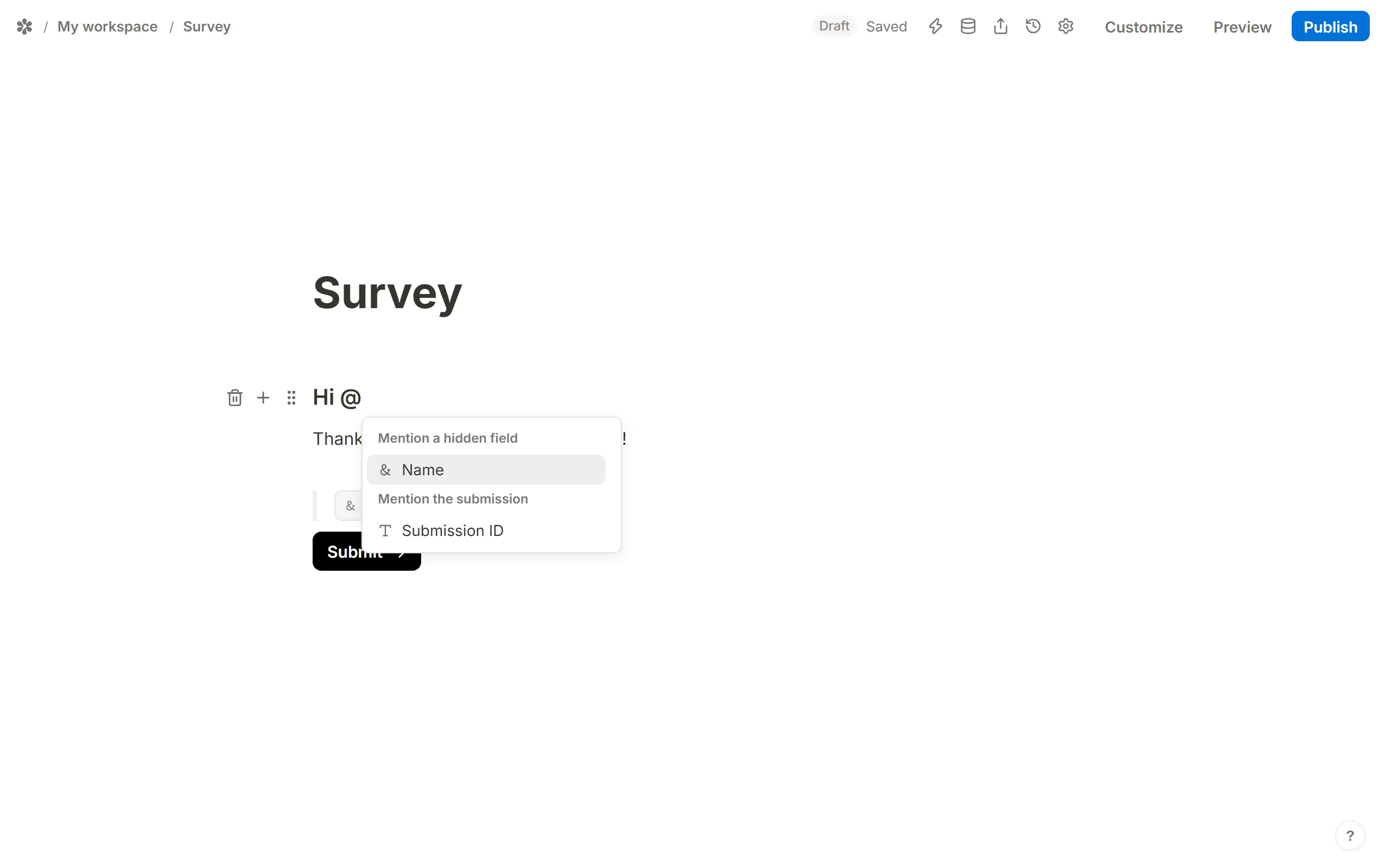
Insert aHidden fieldsblock (type/hidden) and name a row after the query parameter you intend to append, for exampleName. UseAdd hidden fieldfor more than one.Mention it
In any block's text, type@. The menu that opens has a section headedMention a hidden field; pick the row and a chip for it is inserted where the caret was.
Publish and add the parameter
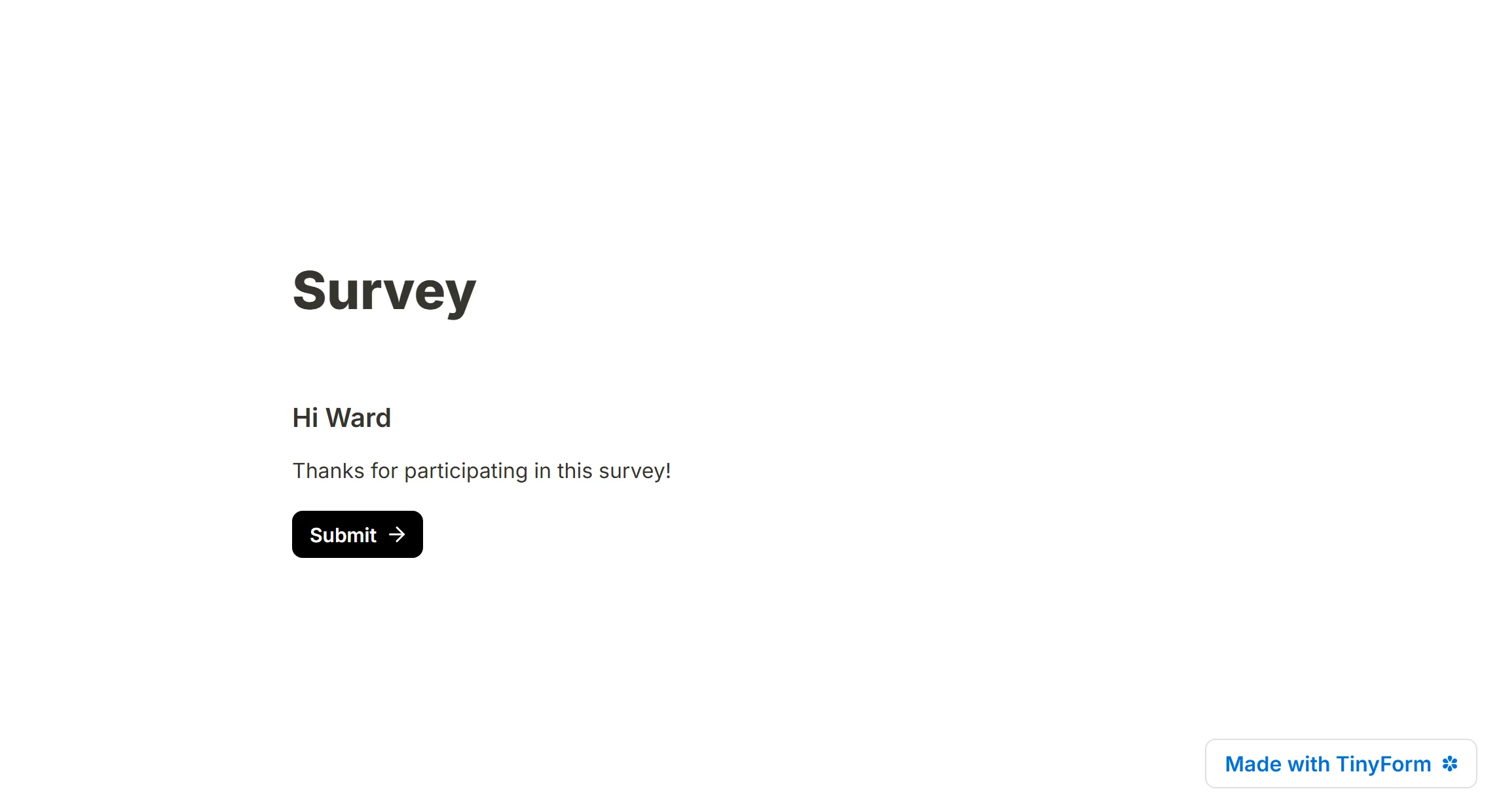
Publish the form, then append?Name=valueto its address before you share it, for example/r/<id>?Name=Marie.
Anyone who opens that link sees the value drawn in place of the chip.
When the parameter is missing
A visitor who arrives without the parameter would otherwise see an empty gap. Open the chip and give it a Default value; that text is drawn whenever the URL carries nothing for the field.
Where else you can mention one
The same chip works outside the form body. Settings → General → Redirect on completion accepts a mention, so a hidden value can travel on into the next address. Both email composers under Settings → Email notifications accept one too, so a notification can carry the campaign or record id the response came from.