Prevent duplicate submissions
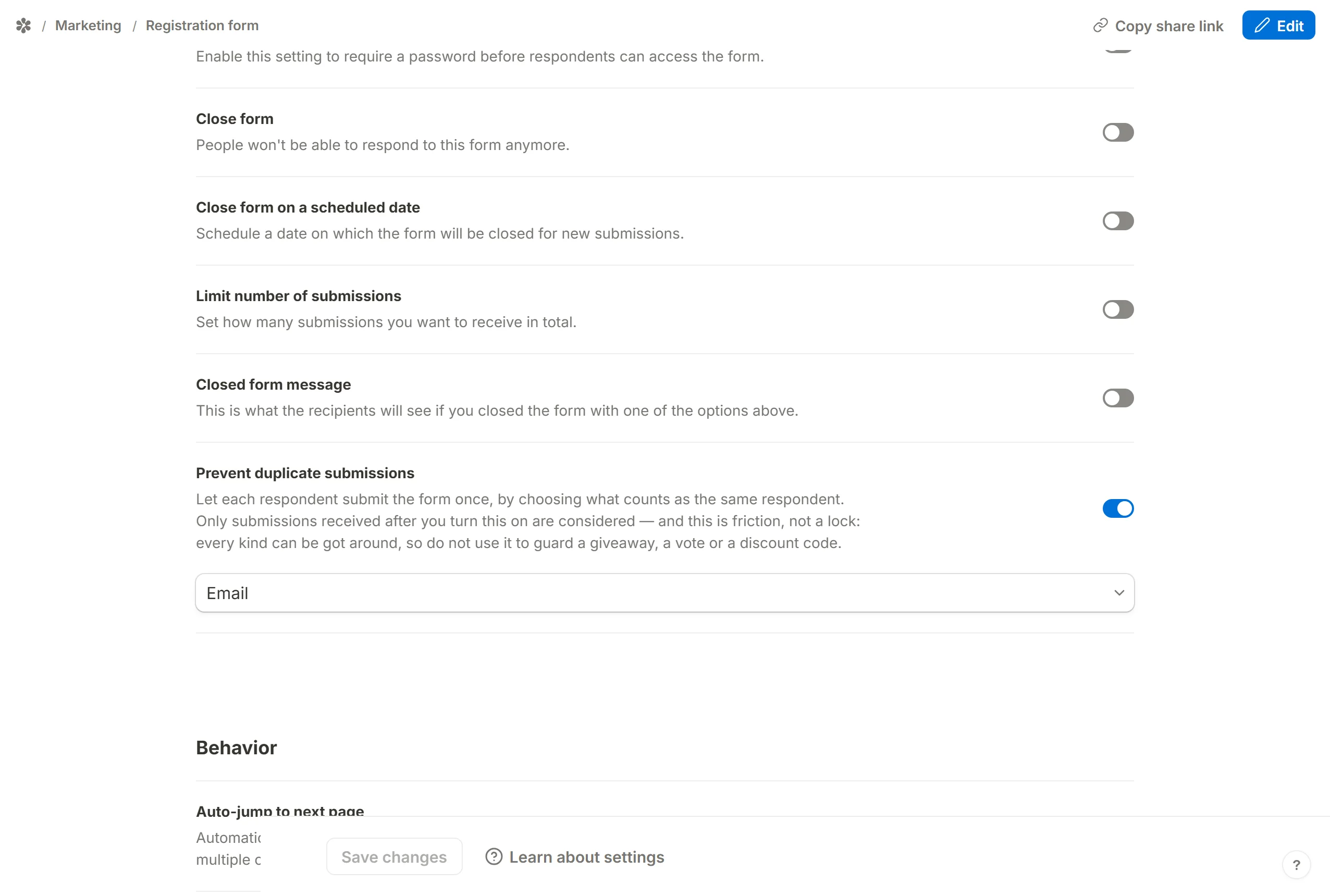
Let each respondent submit your form once, by choosing what counts as the same person: an answer, their IP address or a browser id.
Turn on Prevent duplicate submissions and Tinyform refuses a second submission from what it considers the same respondent. Cleaner data is the point: one registration per email address, one vote per network, one response per browser.
How it works
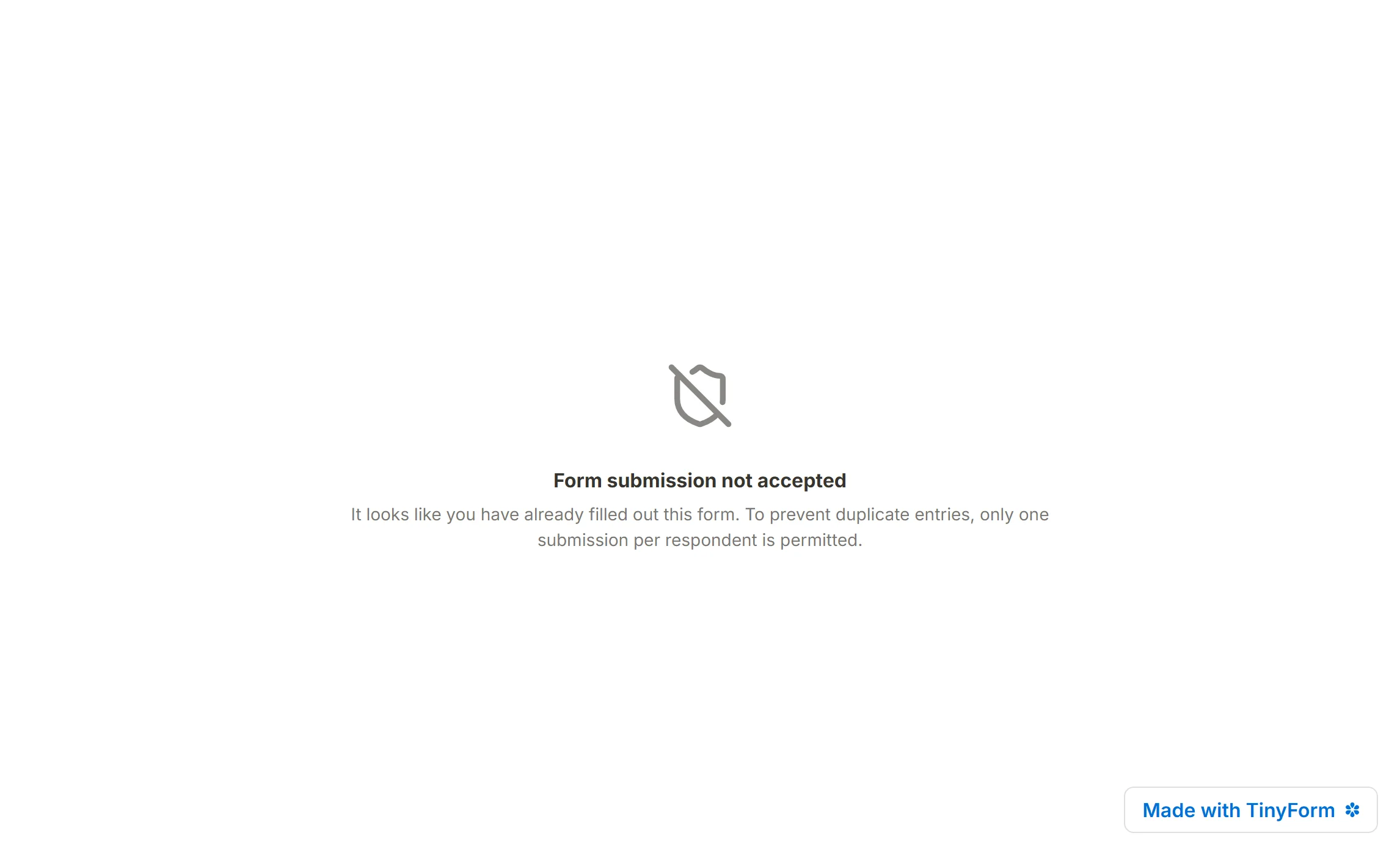
Open the form's Settings tab at /forms/<id>/settings and, under Access, switch on Prevent duplicate submissions. A picker appears with the placeholder Form field; it holds two groups. Metadata fields offers IP address and Respondent ID, and Input fields lists every question on the form with its type icon. Pick the one that should identify a respondent and save.
Only submissions received after you turn the setting on are compared. Each new submission is stored with a key derived from the chosen identifier, and a second submission with the same key is refused with a "Form submission not accepted" page explaining that it looks like they have already filled out this form.
An example
A registration form has an email question, and you choose it as the identifier.
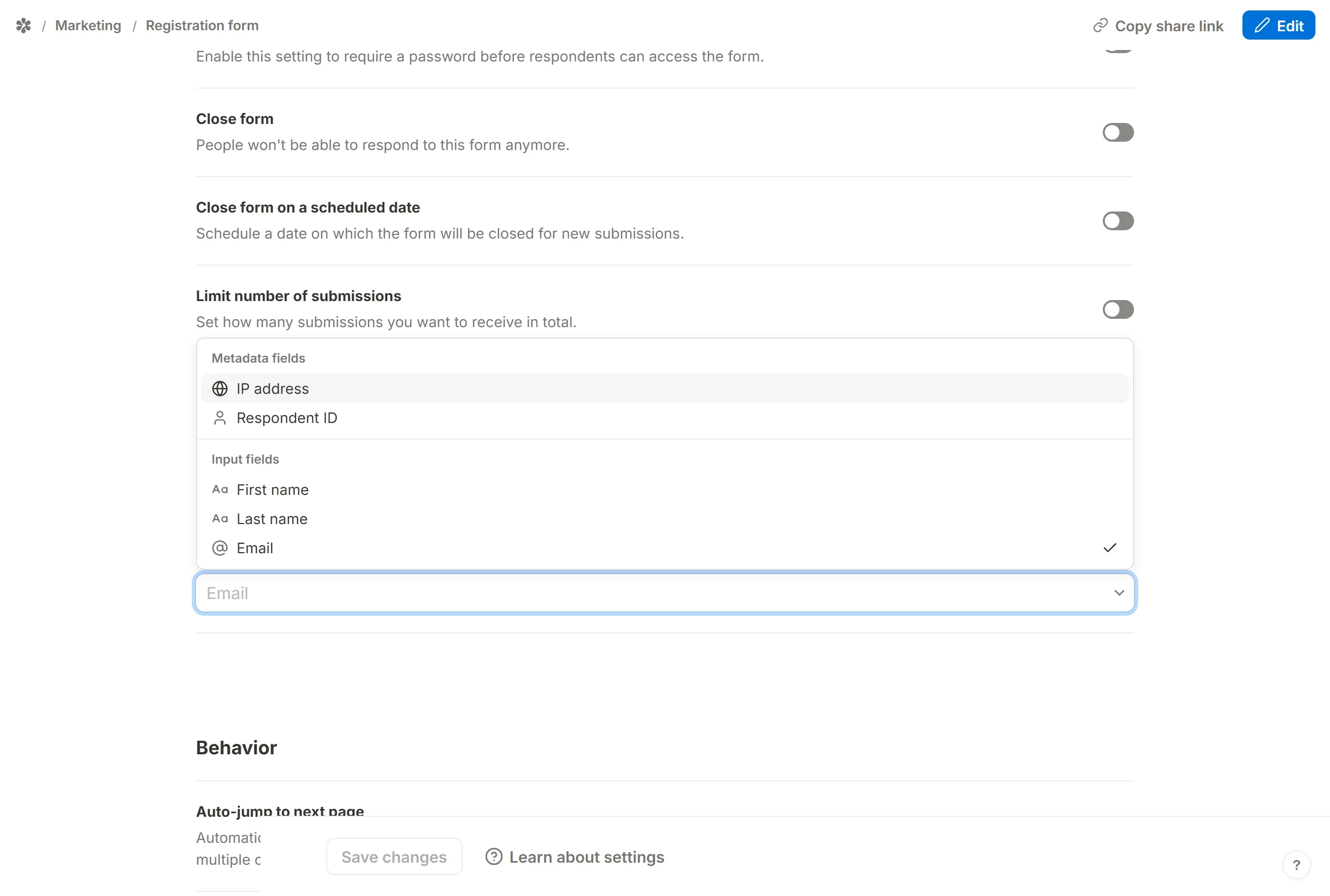
The next person to submit with an address that has already been used is refused. The message is part of the form's own text, so a form set to another language shows it translated.

With a form field as the rule, the respondent also gets an earlier warning: as they type into that question, the value is checked and, if it has already been used, the field says "This answer has already been used to submit this form." so they find out before reaching the end.
Choosing the identifier
Any question on the form can be the identifier, or one of the two metadata values. None of them is watertight, and each one blocks a different kind of repeat.
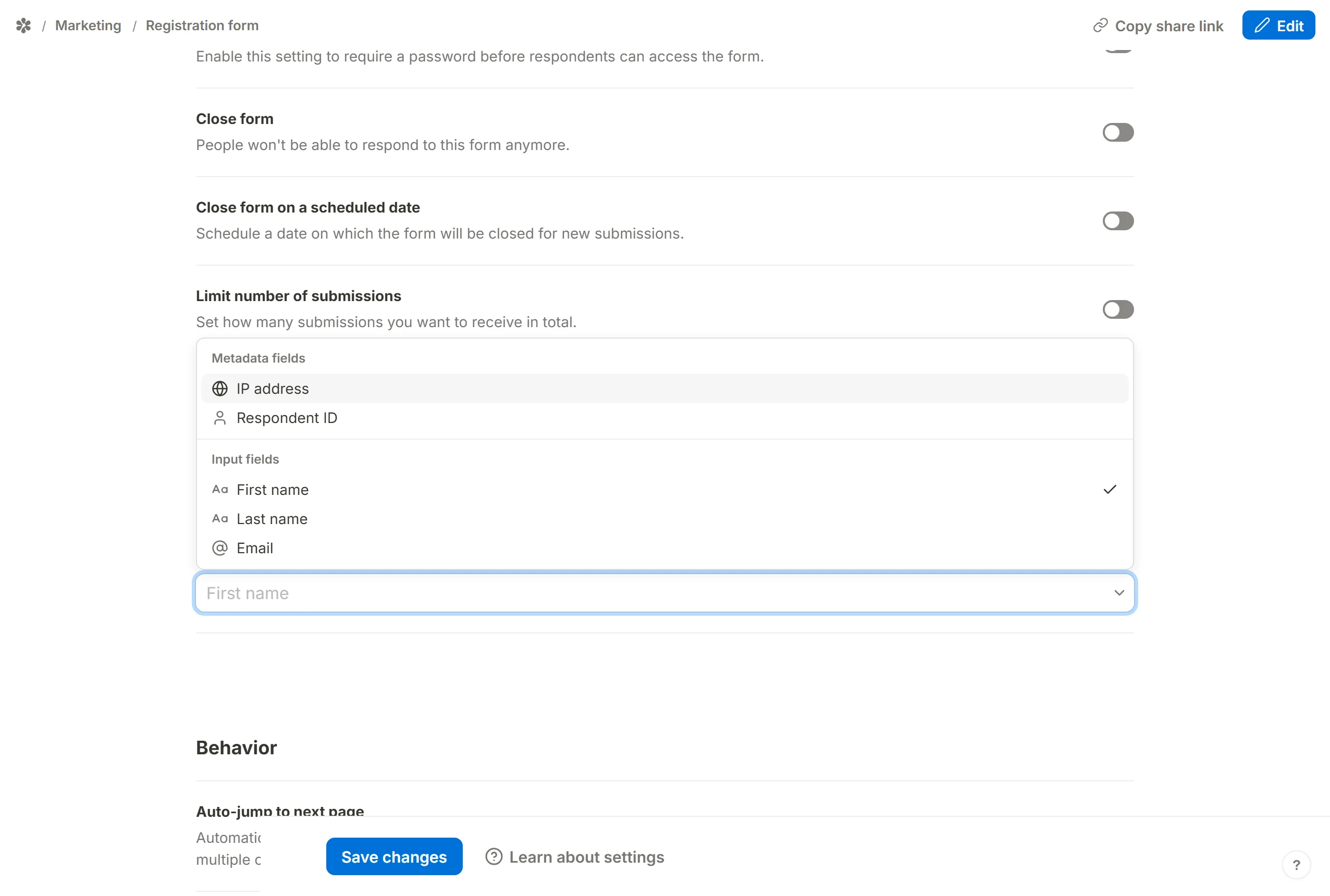
IP address
The address the submission arrived from. It is not stored as such: the app keeps a salted hash of it, and compares hashes.
People in the same office, school or household usually share one public address, so this rule stops the second person on that network as well as a repeat from the first. A respondent can also change their address by switching from Wi-Fi to mobile data or using a VPN.
Respondent ID
A random id the published page creates in the visitor's browser the first time they open the form, and sends with every later submission. It carries no information about the person; it only says "this browser again".
A different browser, another device, or a private window has no id yet, and the same person can submit again from any of them.
A form field
Any input question: an email, a phone number, a name, an order number. Values are compared after normalising them, so Ada@Example.com, ada@example.com and a copy with a stray space are the same answer, and a phone number is compared by its digits alone.
A respondent can type whatever they like, including an address that is not theirs. To make an email a real identity, turn on Verify email on the Email block, which requires the respondent to prove they can read the address before the form accepts it.
Frequently asked questions
Can I change the message a refused respondent sees?
No. It is part of the form's string table, and it follows the form's language setting, but the wording is not editable per form.
Does the check apply to submissions from before I turned it on?
No. Rows stored before the setting existed carry no key and are never matched. If you switch the identifier from one kind to another, only submissions made under the new rule are compared with each other.
Does a partial submission count?
No. Only completed submissions are compared. Somebody who typed an email address and left without submitting has not used it.
Is the IP address stored with the submission?
No. Only a salted hash of it is kept, for this comparison, when IP address is the chosen rule.