Randomize answer options
Shuffle the options under a choice question on the published form, and pin the ones like "None of the above" so they stay where you put them.
People filling in a survey lean toward whatever sits at the top of a list. Shuffling the options takes that lean out of your data. In Tinyform the shuffle is a switch on the question itself, and turning it on takes a moment.
The switch is offered on these question types:
- Multiple choice
- Checkboxes
- Dropdown
- Multi-select
- Ranking
A matrix carries its own version of the same switch, Randomize rows, which shuffles the rows of the grid instead of a list of options.
Enable answer randomization
Open the question's settings in the editor at /forms/<id>/edit: hover the block, click the handle in its left margin (the tip reads "Click to open menu"), and turn on Randomize options.
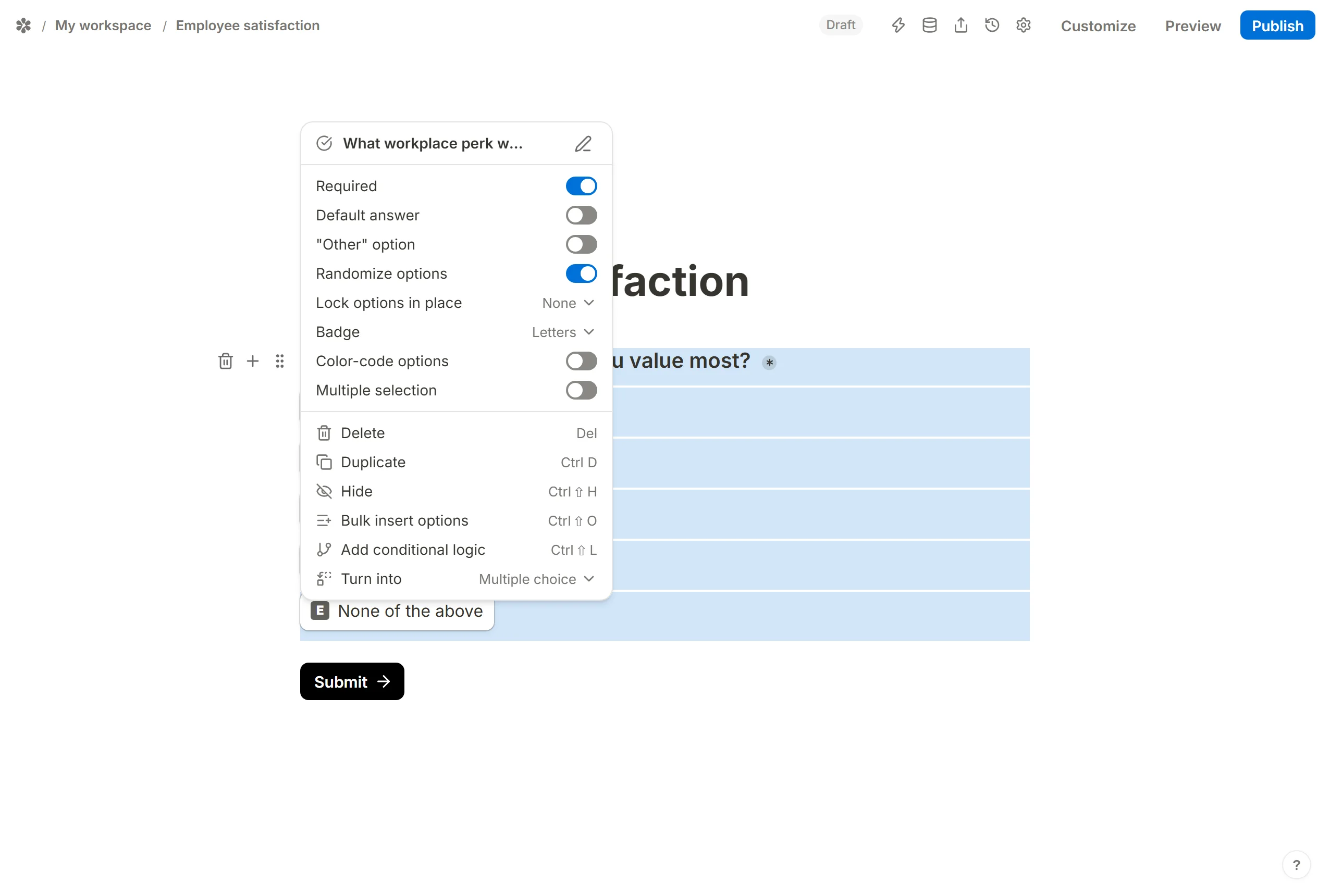
The canvas keeps the order you wrote the options in, so editing stays predictable. The published page at /r/<id> draws them shuffled.
Lock options in place
Some options only make sense at a fixed position: "Not applicable", "None of the above", "Don't know". Pin those and let the rest move.
Lock options in place appears under Randomize options once the shuffle is on. Open it and tick every option that should stay put.
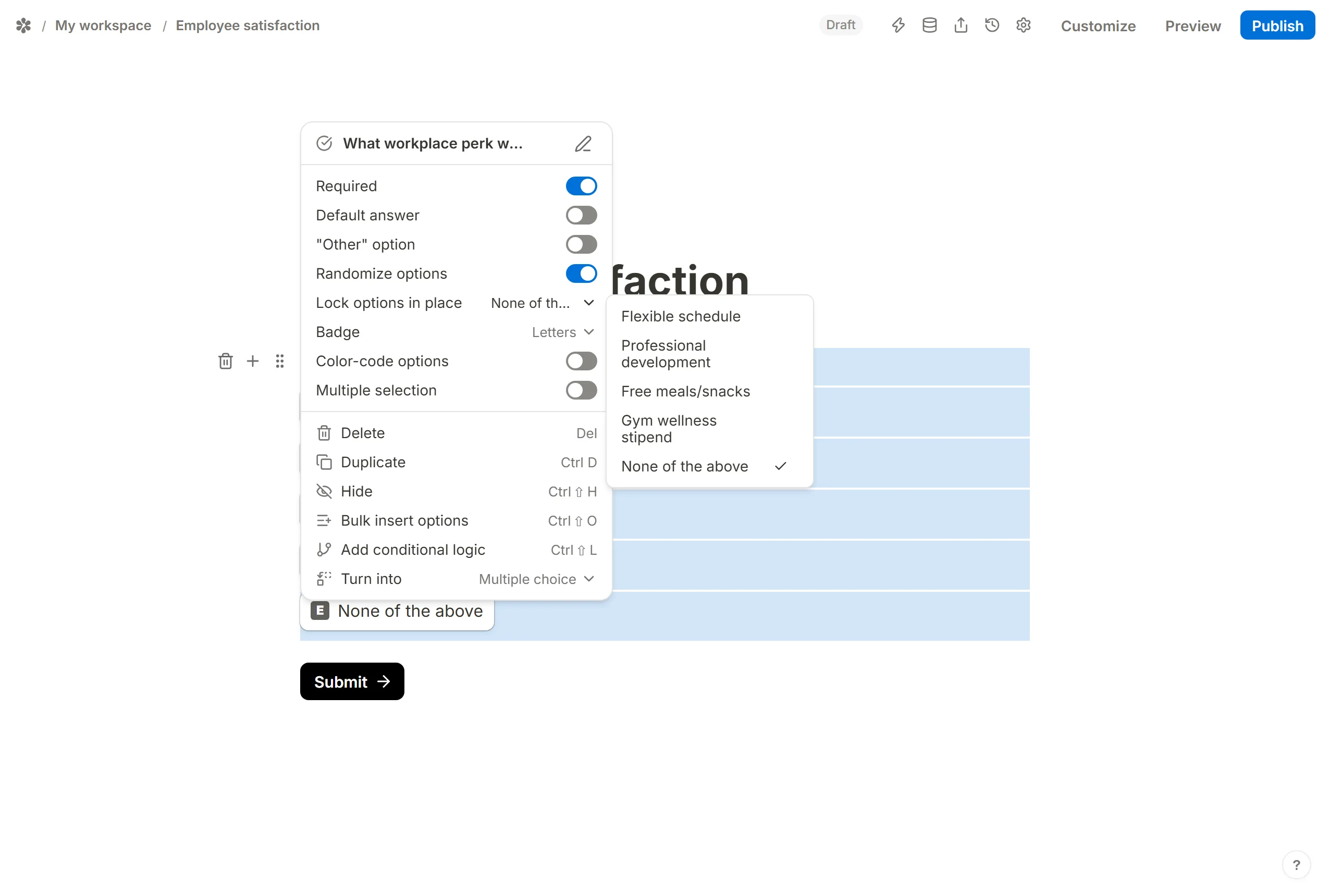
A locked option keeps the exact position you gave it, whether that is the top, the bottom or somewhere in the middle, and the unlocked options are shuffled around it. An "Other" option is not offered in the list, because the form always draws it after the options, so it is last already.