Dynamic email notifications
Make a notification change with each submission: mention answers in the recipient, subject and message, add fallbacks, and route by a dropdown choice.
A dynamic email notification is one whose recipient, subject or message depends on what the respondent answered. In Tinyform that is done with mentions: an @ reference in any field of the composer that is swapped for that submission's value at send time. The same mentions work in self email notifications, which lets you route a submission to the right inbox, and in respondent email notifications, which lets you personalise the confirmation.
How mentions work
Open the form's Settings tab, switch on either notification, and type @ in any field of the composer (or press the @ button at its end). The menu has two groups:
Mention metadata:All answers,Form nameandSubmission ID. Every form has these.Mention an input field: every question on the form, by its name — and the fields a respondent never sees are on it too, a calculated field and each named row of a hidden field among them.
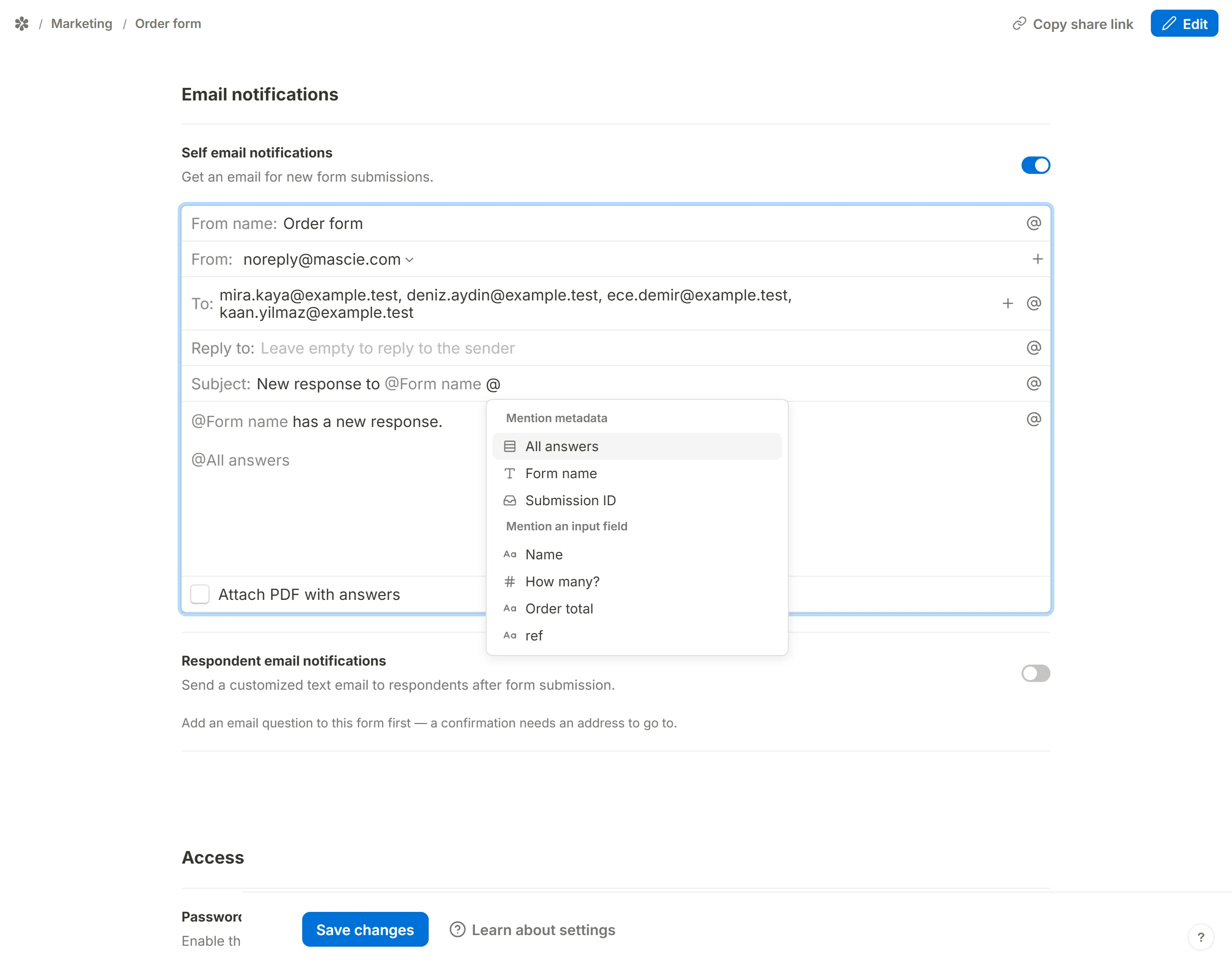
@All answers expands to every question the respondent answered, each as a heading over its answer, and leaves out the ones they skipped. On a form with conditional logic that alone makes each email different: a respondent who took one branch gets that branch's questions, and nothing from the other.
So a notification can vary on more than what somebody typed. A score or a total you worked out with a calculated field, and the campaign id a hidden field carried in from the URL, resolve at send time exactly the way an answer does — which is what lets a subject line say what the message is worth as well as who sent it.
What the menu offers and what the send resolves are the same list, deliberately: a menu that offered a name the resolver could not find is how a mention picked straight out of it once failed to send with nothing on screen saying so.
The three shapes a mention takes
A mention is stored as text, in one of three shapes, and the composer draws all three as a chip.
| Written as | Meaning |
|---|---|
@Email address | The answer to the question labelled "Email address". |
@{{Email address}} | The same, with the name pinned. Use it when one label is the start of another ("Email" and "Email address") or when you want a stale mention to disappear cleanly. |
@{{Email address|not given}} | The same, with a fallback after the bar: what to print when the question was left unanswered. |
Mentions are matched against the form's current question labels, longest label first. If you rename a question, its mention stops matching and reads back as plain text in the composer instead of a chip; that is your cue to re-insert it. Text after an @ that matches no label stays as you typed it, so "mail us @ 9am" survives untouched.
Examples
Send the notification to a different address depending on an answer
Suppose a contact form asks which department the message is for, and each department has its own inbox.
Add a choice question
Add a dropdown or multiple-choice question labelled "Department" whose options are the inbox addresses themselves, such as sales@acme.example, support@acme.example and billing@acme.example.Switch on self email notifications
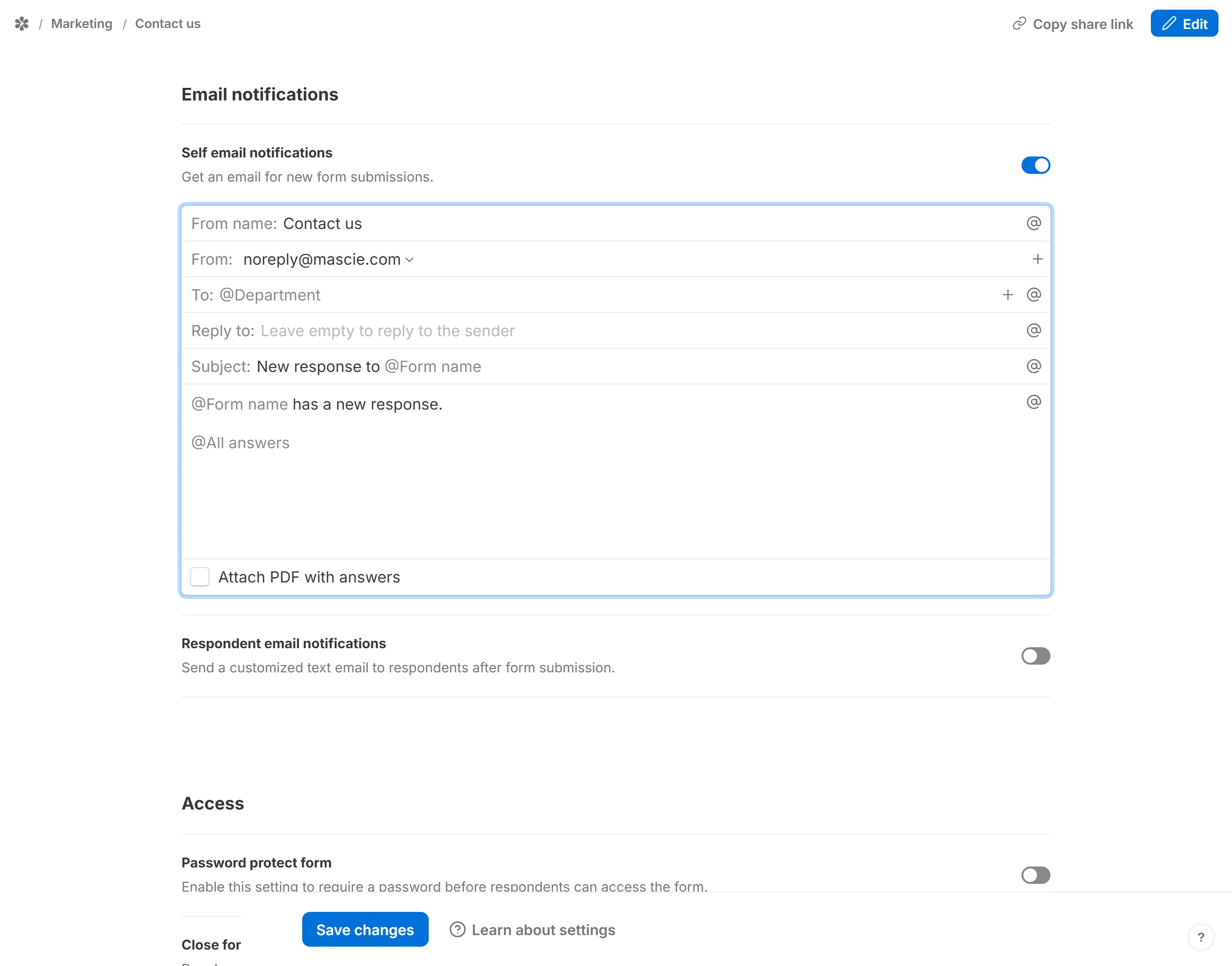
InSettings, underEmail notifications, switch onSelf email notifications.Mention the question in To
Clear theTo:field, type@and pick "Department". The chosen option is now the recipient of each notification.
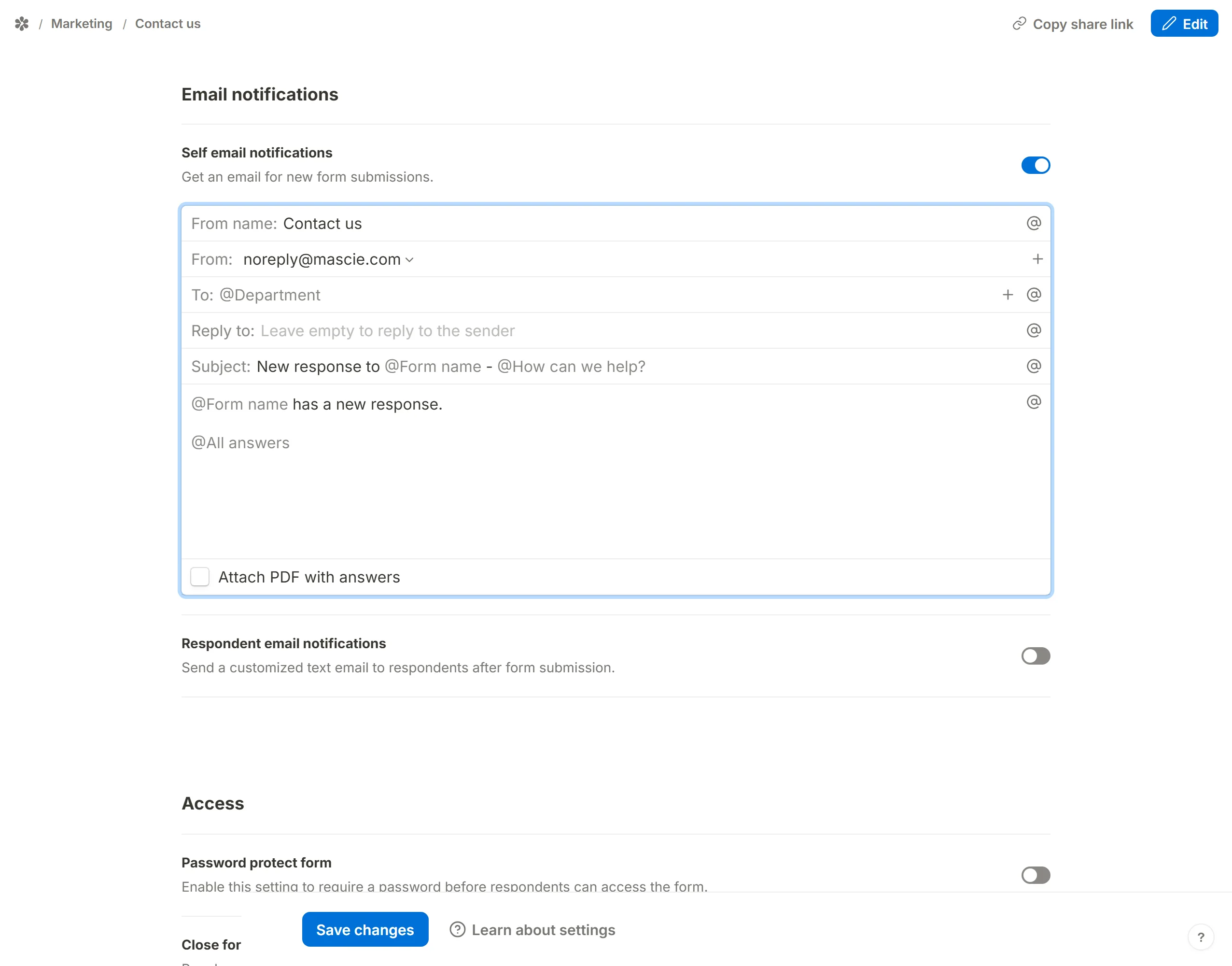
Make the subject dynamic in the same way: type @ and pick the question that says what the message is about, and mention the questions you want at the top of the body.
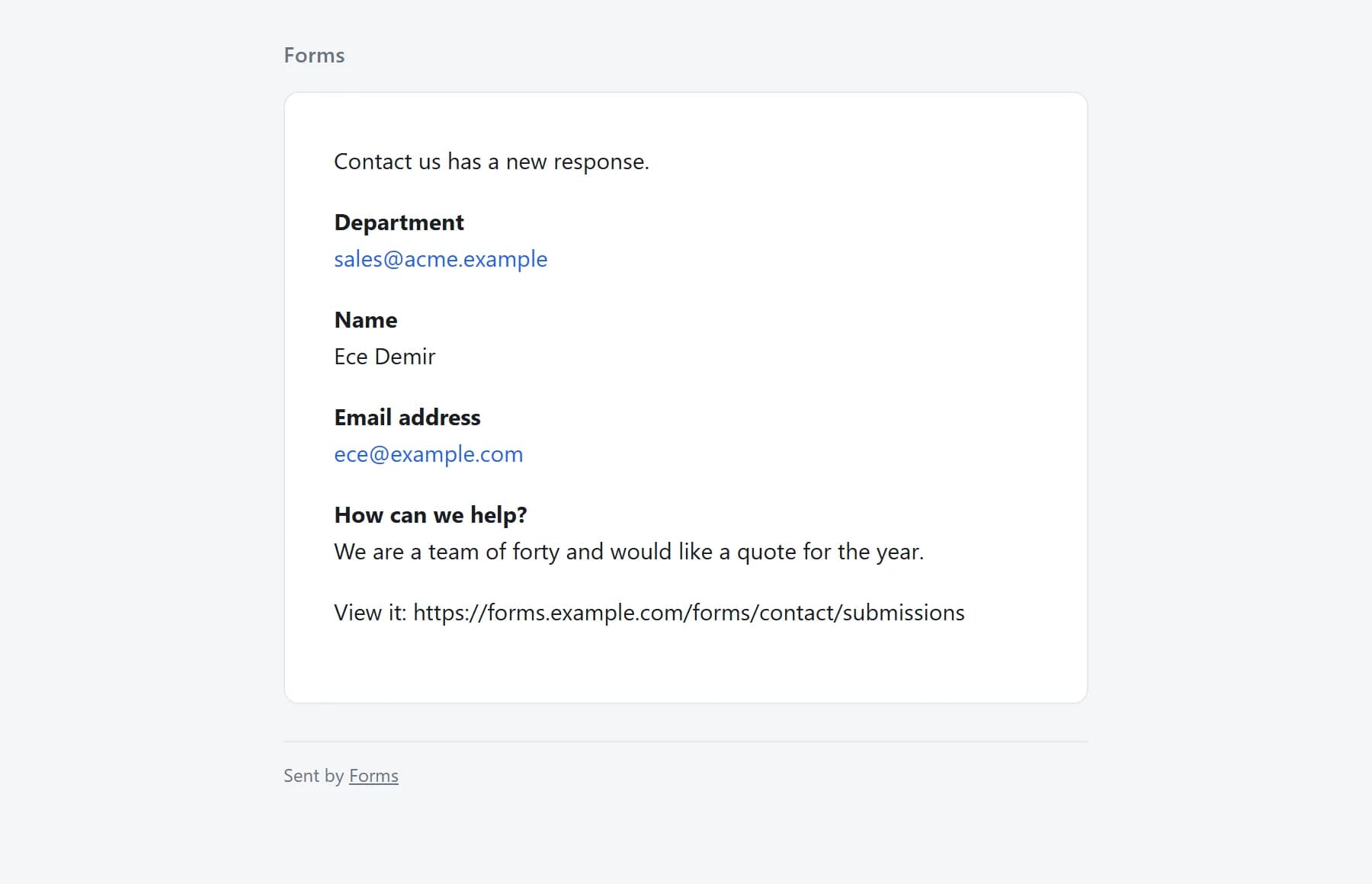
When somebody picks "Sales", the email lands in the sales inbox with that submission's subject and answers.
If the option labels should read as words rather than addresses, keep a plain To: and mention the question in the subject instead, so each inbox can filter on it.
Personalise the confirmation
For a respondent email notification, mention the questions that matter in the message. A registration confirmation, for example:
Thanks, @First name. You are booked for @{{Session|the session you chose}} on @Date. Your reference is @Submission ID.
The fallback in the braces covers a respondent who skipped the session question. On a quiz, mention the questions that carry the score, or use @All answers so the respondent sees exactly what they submitted.
Join the email to a redirect
The redirect on completion URL takes the same three mention shapes. Put @Submission ID in both the notification and the redirect URL and the page a respondent lands on and the email in your inbox carry the same id, so a record on another system can be matched back to the submission.
Combine with a PDF
On the owner's copy, Attach PDF with answers adds that submission's own transcript to the message. Every PDF is already per-submission, so a dynamic recipient plus the attachment gives each inbox exactly the response it should see. See turn form submissions into PDF files.
Frequently asked questions
What are dynamic email notifications?
Notifications whose recipient, subject or body is built from the submission's own answers, through @ mentions in the composer fields.
Can I send the email to a different team based on the response?
Yes. Make the answer be the address (a choice question whose options are inboxes) and mention it in the To: field of the self email notification.
Can I send a different message to each respondent?
Each message differs by the answers it mentions, by what @All answers includes, by any fallbacks you set, and by any calculated or hidden field you mention. What is not possible is switching between two whole texts on a condition — the composer holds one subject and one message, with no branch in it.
Can I attach a different PDF depending on the answers?
The attached PDF is always that submission's own transcript, so it is already specific to the respondent. Pair it with a dynamic recipient to send each one where it belongs.
Is any of this restricted?
No. Mentions, fallbacks and the PDF attachment are available on every form.