Phone number
Collect phone numbers with a country picker, a live format hint and validation, so every number you store is complete and dialable.

The Phone block collects a phone number the way a phone would: a country in front, the digits behind, and a check that the two make a real number before the form moves on. A contact form, a job application or an event sign-up gets a clean international number instead of whatever the respondent felt like typing.

Add a Phone block

Open the insert menu with / and choose Phone.



Give it a question above the box, or click into the box and type a placeholder. A block with neither shows up in your results as "Untitled phone number field", which is worth avoiding. See How to name question fields.
On the published page the box carries a flag button at its left edge and a hint in the country's own format (+1 (555) 000-0000 for the United States). As the respondent types, the digits are grouped the way that country writes them. Press Preview in the editor to try it.
The respondent picks a country from the list behind the flag, or types a calling code straight into the box and the flag follows. Several countries share +1, so when the code alone cannot decide, the picker offers the matching countries as a group.
Phone settings
Open the settings from the handle at the block's left edge.
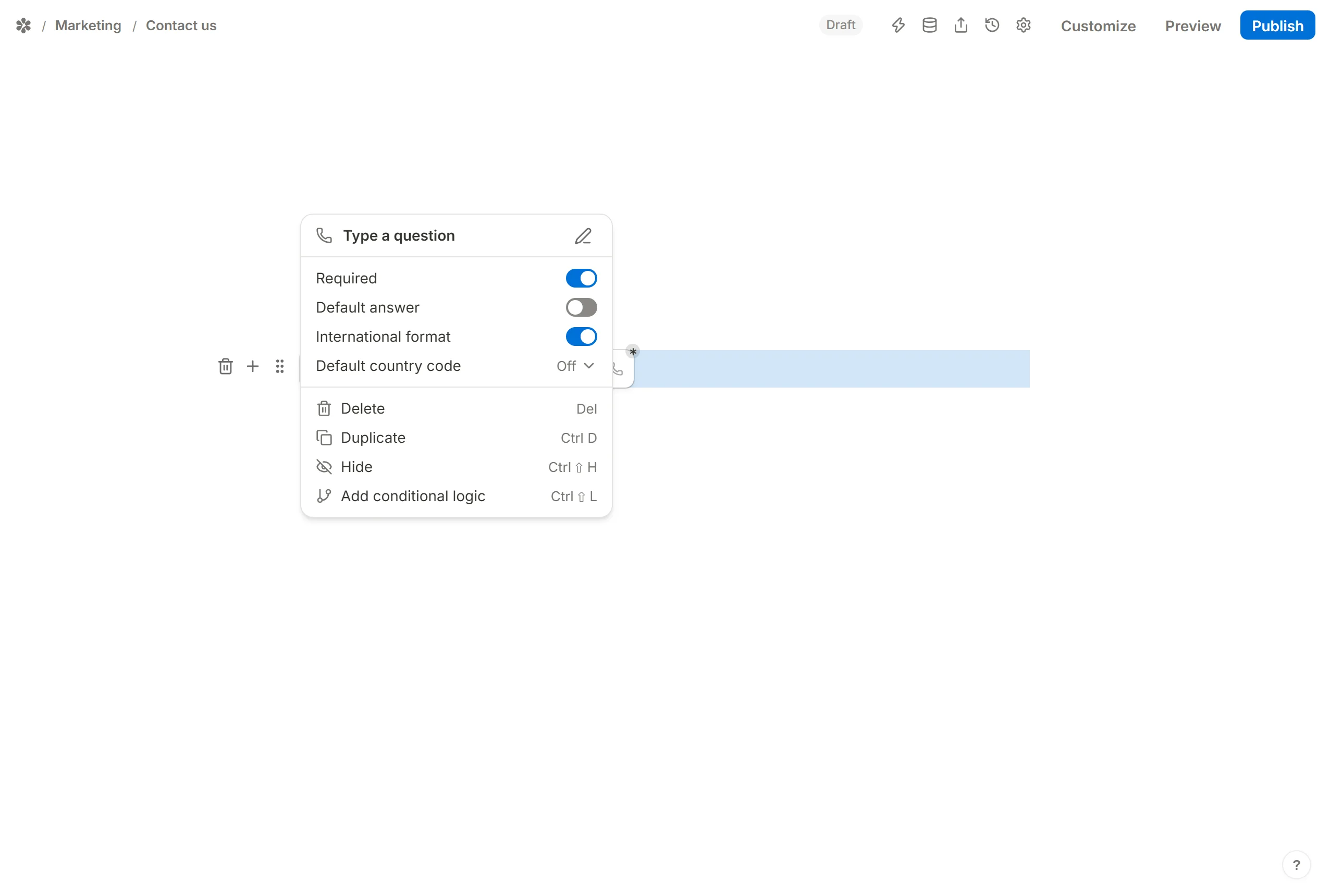
Default country code
Default country code chooses which flag the box opens with, so most respondents never touch the picker. Pick a country from the list, or Off to start with none selected.
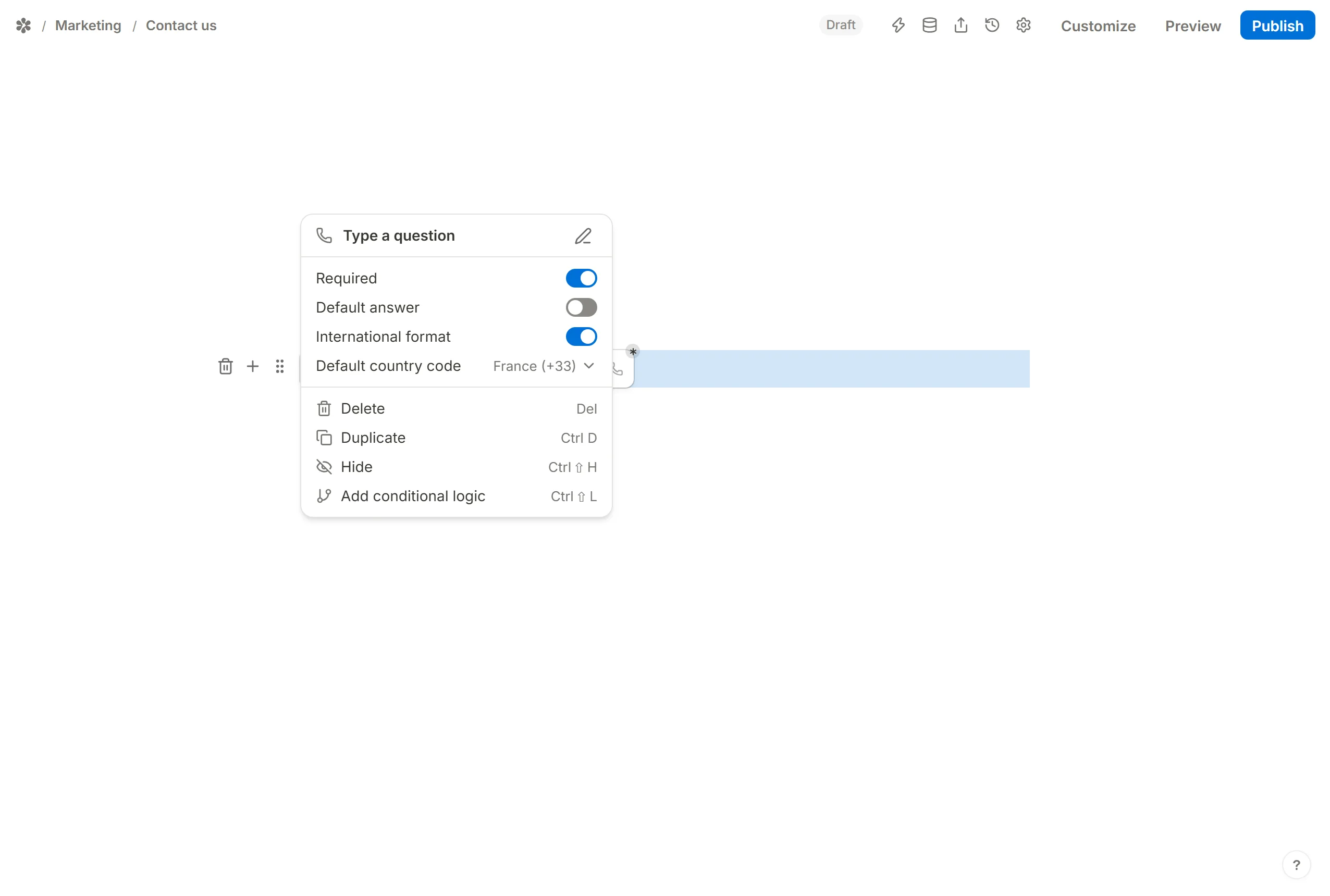
International format
International format is on for a new block. It draws the country picker in front of the box, groups the digits by country and checks the length against that country's numbering. Switch it off for a plain box that takes the number as typed.
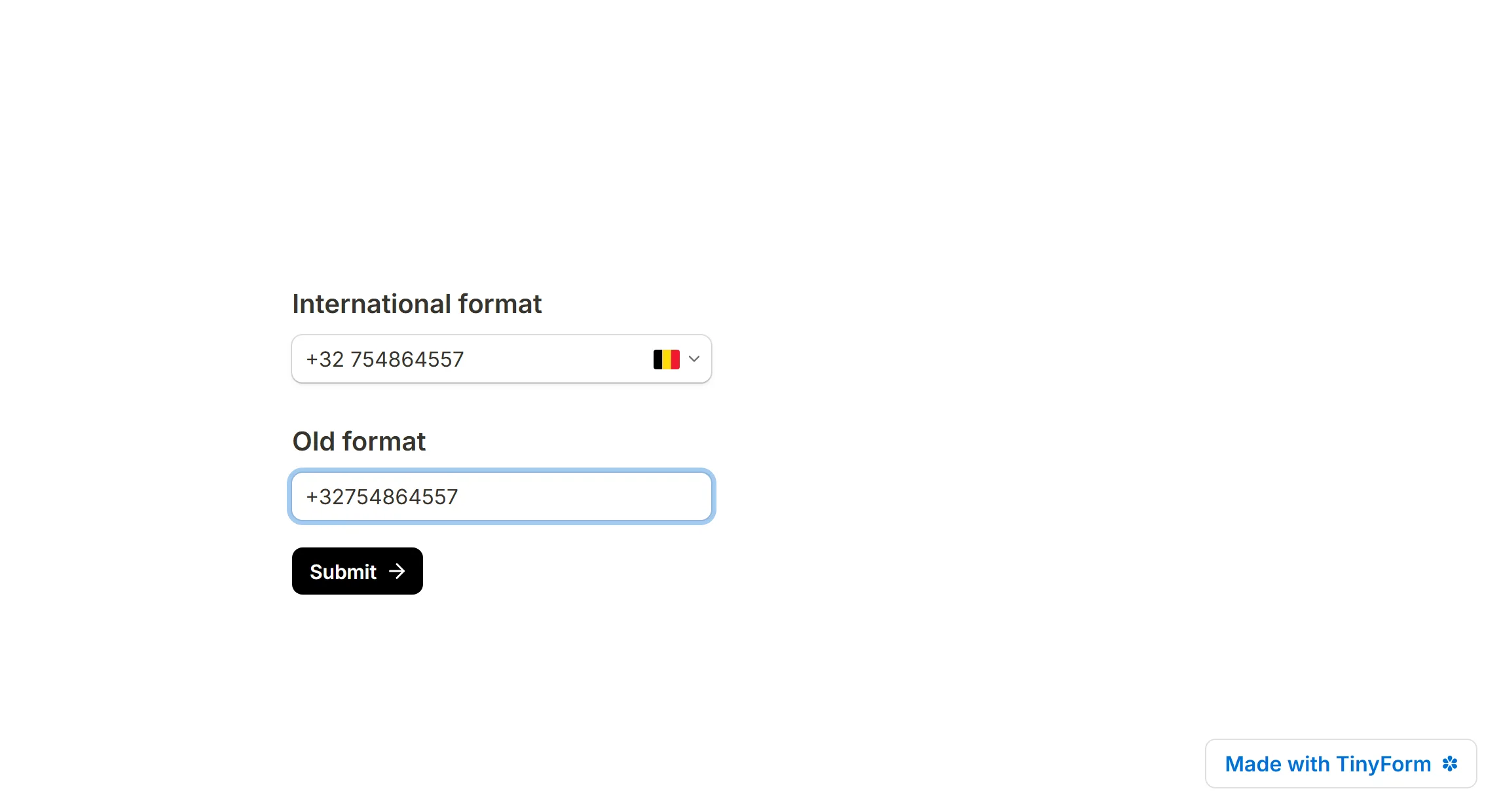
A block with the switch off can be brought up to the formatted shape by turning it back on; there is no need to delete and re-insert it, which would also detach any rule pointing at it.
Hide block
Hide in the block menu (or Ctrl+Shift+H) keeps the block off the page until a rule shows it. See Conditional logic.
Make it required
Required refuses a submit while the box is empty. A number that does not parse for its country is refused whether or not the block is required, with "Please enter a valid phone number" under the box.
Add a default answer
Default answer fills the box before the respondent arrives: type a number, or pick a hidden field or another field from the menu. See Pre-populate form fields.
View phone numbers
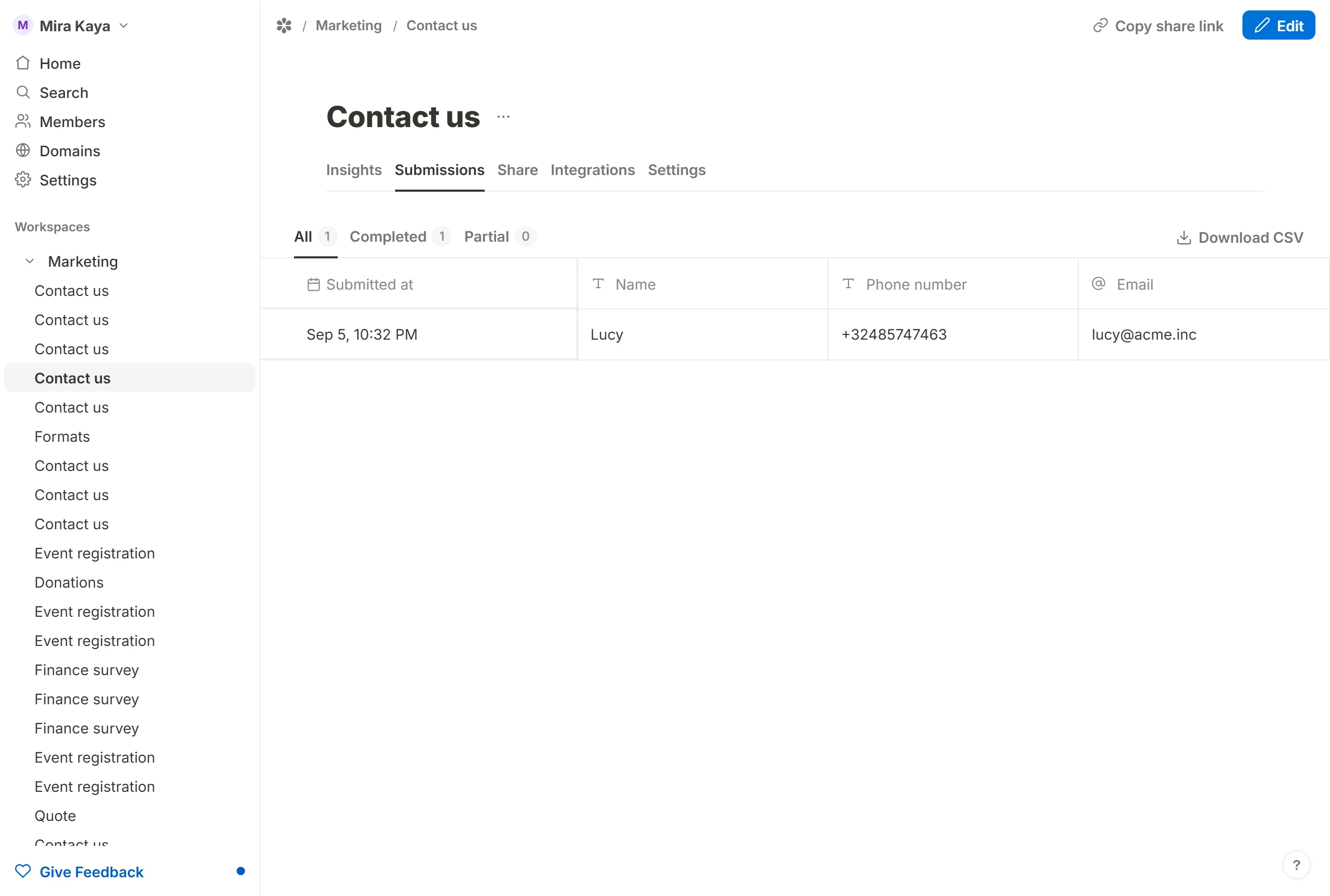
Numbers are stored in international form, the calling code first: +32485939364. That is how they appear in the Submissions tab and in the CSV. When Prevent duplicate submissions compares on a phone field, it compares the digits alone, so the same number typed with or without spaces counts once.
Start from a template
The template gallery at /templates has contact, registration and job-application forms that already carry a Phone block. Open one, make it yours, and change the wording. See How to use and create form templates.